
Link Hints 제작자: lydell
Click with your keyboard.
사용자 528명사용자 528명
확장 메타 데이터
스크린샷
정보
Have a bad touchpad? Trouble using a mouse? Love keyboard shortcuts?
Link Hints is a browser extension that complements the built-in keyboard shortcuts with ones for clicking.
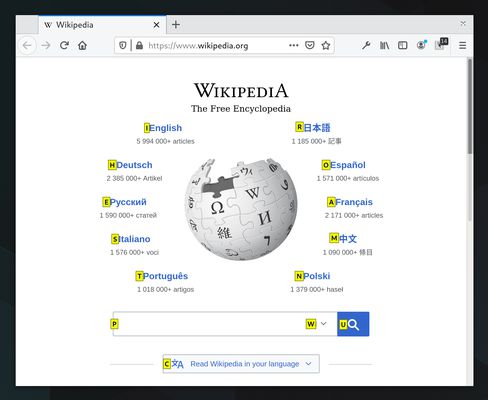
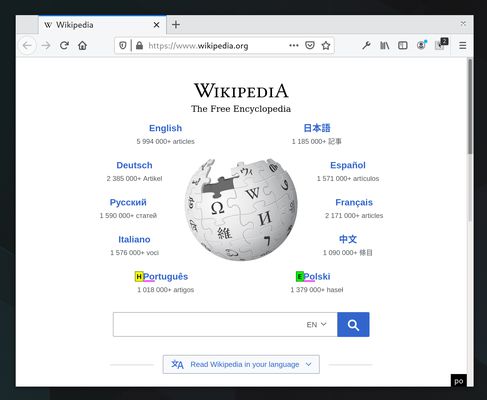
Press Alt+J (Ctrl+J on macOS). This makes little yellow boxes with letters, called hints, appear next to links (and other clickable things). Type the letters to click the link. Alternatively, hold Shift and type a bit of the link text.
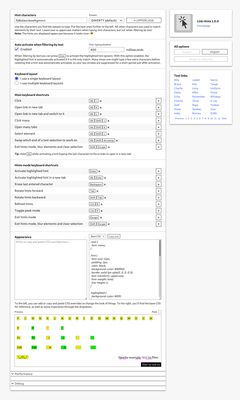
The keyboard shortcuts and hints are fully customizable.
Alt+J: Click links, buttons, etc.
Alt+K: Open link in new tab.
Alt+L: Open link in new tab and switch to it.
Alt+Shift+J: Click many things.
Alt+Shift+K: Open many links.
Alt+Shift+L: Select element.
See the home page for more information: https://lydell.github.io/LinkHints/
Link Hints is a browser extension that complements the built-in keyboard shortcuts with ones for clicking.
Press Alt+J (Ctrl+J on macOS). This makes little yellow boxes with letters, called hints, appear next to links (and other clickable things). Type the letters to click the link. Alternatively, hold Shift and type a bit of the link text.
The keyboard shortcuts and hints are fully customizable.
Alt+J: Click links, buttons, etc.
Alt+K: Open link in new tab.
Alt+L: Open link in new tab and switch to it.
Alt+Shift+J: Click many things.
Alt+Shift+K: Open many links.
Alt+Shift+L: Select element.
See the home page for more information: https://lydell.github.io/LinkHints/
리뷰어 30명이 4.9점으로 평가함
권한 및 데이터
추가 정보