Flickr Photos In New Tab 제작자: mendhak
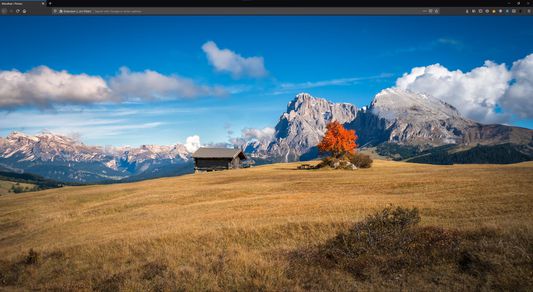
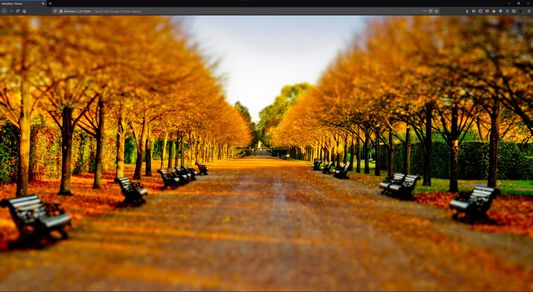
Replaces Firefox New Tab, with photos from a Flickr album of your choice, or Flickr Explore, or by text search
사용자 21명사용자 21명
확장 메타 데이터
스크린샷
정보
Replaces the New Tab in Firefox, and displays an image from a Flickr album of your choice, or Flickr Explore or a text search.
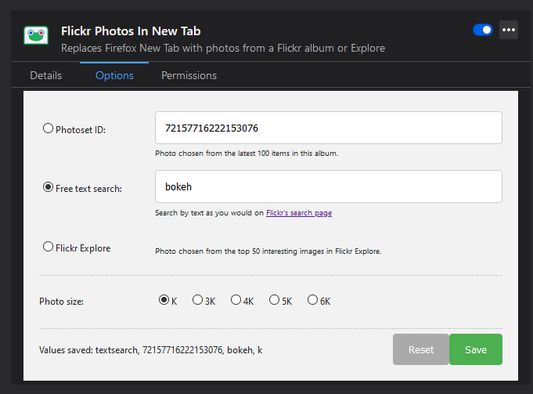
You can change the Photoset ID, text search, Flickr Explore, and pick a photo size in Add-ons > Flickr Photos In New Tab > Preferences.
When choosing photos for your album, try to make sure they are in landscape orientation; portrait photos will get filtered out. Also, ensure that the photos have at least a Large 2048 size.
It defaults to my Flickr album, you can leave it at default it if you like it!
You can change the Photoset ID, text search, Flickr Explore, and pick a photo size in Add-ons > Flickr Photos In New Tab > Preferences.
When choosing photos for your album, try to make sure they are in landscape orientation; portrait photos will get filtered out. Also, ensure that the photos have at least a Large 2048 size.
It defaults to my Flickr album, you can leave it at default it if you like it!
4명이 5점으로 평가함
추가 정보
- 부가 기능 링크
- 버전
- 1.6
- 크기
- 17.02 KB
- 마지막 업데이트
- 5년 전 (2021년 5월 20일)
- 버전 목록
- 모음집에 추가