
NNU news Automator 제작자: Ahkohd
This extension automates reading news post on NNU.ng - (Free) Contains Ads. - (Pro) No Ads.
사용자 1명사용자 1명
확장 메타 데이터
스크린샷
정보
NNU news Automator is a Firefox Extension that helps you automate reading NNU's latest sponsored posts.
The intention of this extension is to save you the stress of opening and closing tabs while reading NNU's post and should not be used only for automation sake.
It features includes:
- Reading at a specified interval of time.
- Rapid revenue earning
- Refreshing Account to stay updated about your revenue
- Can open a max of 30 news for (free) and 100 news for (pro) at a time.
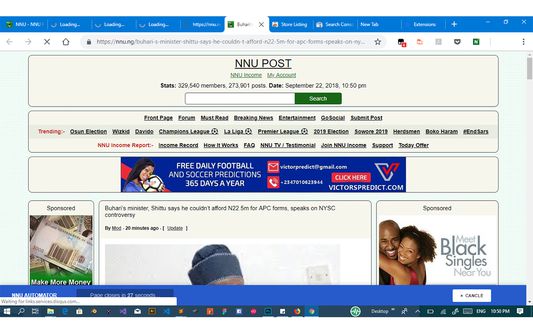
- Automatic Tabs management. NNU's news post tabs are automatically closed
after a period of time which is adjustable to your needs.
How To Use:
All you need to do is just to
1. Activate the plugin.
2. Login your nnu.ng Account (http://nnu.ng/login)
3. Then visit NNU's homepage.
PRO:
To buy the pro version, do the following steps:
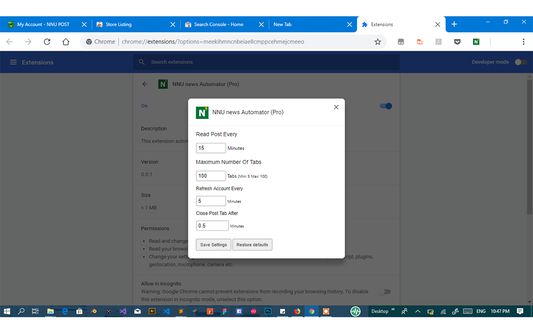
1. Go to NNU Automator addon options.
2. Add and save your user email.
3. Below the addon options page, click on the buy pro button.
4. A new tab will open where you will fill your account details to purchase and unlock the addon pro features.
5. After successful payment, hold on a modal will open to verify your payment.
6. After verification, you will see a successfully purchased NNU Automator Extension message and the pro features are activated. Voila, your are now pro.
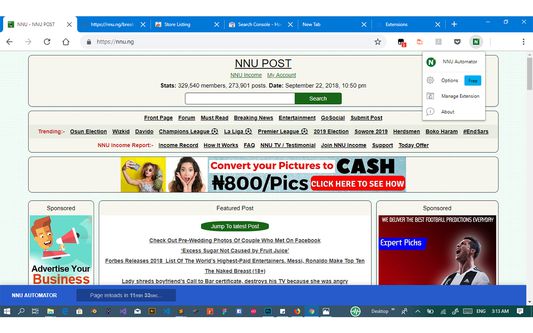
In other to verify activation click on the NNU Automator icon in toolbar, on pop at the right hand you should see the (PRO) badge.
The intention of this extension is to save you the stress of opening and closing tabs while reading NNU's post and should not be used only for automation sake.
It features includes:
- Reading at a specified interval of time.
- Rapid revenue earning
- Refreshing Account to stay updated about your revenue
- Can open a max of 30 news for (free) and 100 news for (pro) at a time.
- Automatic Tabs management. NNU's news post tabs are automatically closed
after a period of time which is adjustable to your needs.
How To Use:
All you need to do is just to
1. Activate the plugin.
2. Login your nnu.ng Account (http://nnu.ng/login)
3. Then visit NNU's homepage.
PRO:
To buy the pro version, do the following steps:
1. Go to NNU Automator addon options.
2. Add and save your user email.
3. Below the addon options page, click on the buy pro button.
4. A new tab will open where you will fill your account details to purchase and unlock the addon pro features.
5. After successful payment, hold on a modal will open to verify your payment.
6. After verification, you will see a successfully purchased NNU Automator Extension message and the pro features are activated. Voila, your are now pro.
In other to verify activation click on the NNU Automator icon in toolbar, on pop at the right hand you should see the (PRO) badge.
리뷰어 0명이 0점으로 평가함
권한 및 데이터
필수 권한:
- 브라우저 탭에 접근
- nnu.ng 도메인의 사이트에서 사용자의 데이터에 접근
- nnu-automator-extension.firebaseapp.com에서 사용자의 데이터에 접근
추가 정보
- 부가 기능 링크
- 버전
- 0.0.9resigned1
- 크기
- 32.05 KB
- 최근 업데이트
- 2년 전 (2024년 4월 26일)
- 관련 카테고리
- 라이선스
- All Rights Reserved
- 사용자 라이선스 동의서
- 이 부가 기능에 대한 사용권 계약 읽기
- 버전 목록
- 모음집에 추가