Open in active tab when opened from command line 제작자: zupffwhy
Display the page in the active tab or a specific tab instead of a new tab when you open the page from the command line.
사용자 4명사용자 4명
확장 메타 데이터
스크린샷
정보
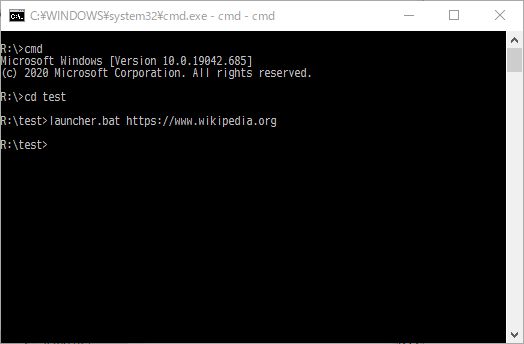
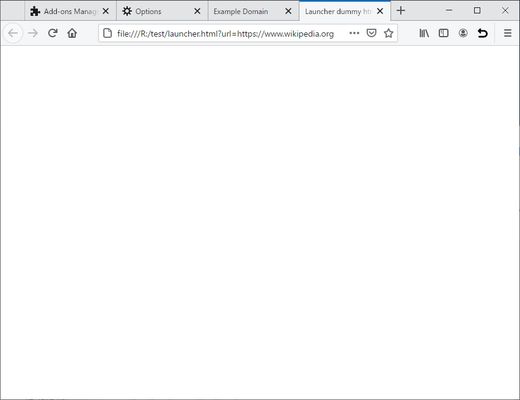
When you open a page from the command line, this add-on display the page in the active tab or a specific tab instead of a new tab.
If Firefox is already running and you start Firefox by specifying the URL from the Windows command prompt or the Linux shell command line, the page will be displayed in a new tab of the existing Firefox. However, opening many tabs consumes resources such as memory. If you need to visit multiple websites on a regular basis, but you don't need to read the contents of the pages, you can reduce resource consumption by displaying the pages in order on one tab.
This add-on causes pages launched from the command line to open in the active tab instead of in a new tab. This add-on can't prevent the add-on from opening a new tab, so Firefox immediately closes the newly opened tab and reopens the page with the active tab. Therefore, a new tab is displayed for a moment.
Tags: Go Around Websites,
Settings to open browser links in new tab, and external links in new window | Firefox Support Forum | Mozilla Support
I invite you to explore and help me translate this add-on in Crowdin.
Please make a donation through Kampa!, Amazon (recipient Email: heyxedjn@kampa.me, You can donate a minimum of 15 yen (15 cents)) or PayPal.Me.
If Firefox is already running and you start Firefox by specifying the URL from the Windows command prompt or the Linux shell command line, the page will be displayed in a new tab of the existing Firefox. However, opening many tabs consumes resources such as memory. If you need to visit multiple websites on a regular basis, but you don't need to read the contents of the pages, you can reduce resource consumption by displaying the pages in order on one tab.
This add-on causes pages launched from the command line to open in the active tab instead of in a new tab. This add-on can't prevent the add-on from opening a new tab, so Firefox immediately closes the newly opened tab and reopens the page with the active tab. Therefore, a new tab is displayed for a moment.
Tags: Go Around Websites,
Settings to open browser links in new tab, and external links in new window | Firefox Support Forum | Mozilla Support
I invite you to explore and help me translate this add-on in Crowdin.
Please make a donation through Kampa!, Amazon (recipient Email: heyxedjn@kampa.me, You can donate a minimum of 15 yen (15 cents)) or PayPal.Me.
Bitcoin donations are also welcome: 1KMyBNyvVtnHn9iTT7YSCYzaWQA4WPFb8x
0명이 0점으로 평가함
권한 및 데이터
필수 권한:
- 파일을 다운로드하고 브라우저의 다운로드 기록을 읽고 수정
- 확장 기능 사용 확인과 테마 관리
- 알림 표시
- 탐색 중 브라우저 활동에 접근
- 모든 웹사이트에서 사용자의 데이터에 접근
데이터 수집:
- 개발자가 이 확장 기능은 데이터 수집이 필요하지 않다고 합니다.
추가 정보
- 부가 기능 링크
- 버전
- 1.2025.1103.0
- 크기
- 23.3 KB
- 마지막 업데이트
- 7달 전 (2025년 11월 3일)
- 라이선스
- All Rights Reserved
- 버전 목록
- 모음집에 추가