
PageZipper 제작자: Jonathan Koomjian
Painlessly merge a series of web pages into one.
사용자 815명사용자 815명
확장 메타 데이터
스크린샷

정보
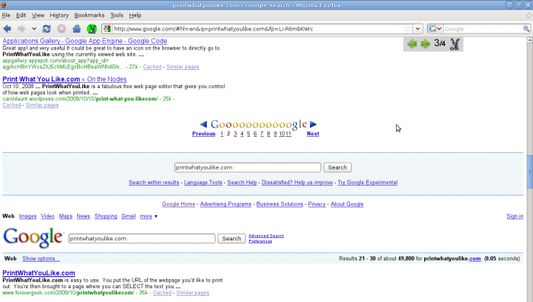
Ever read one of those top ten lists or photo galleries where every item is on a different page? Clicking "Next" and waiting takes longer than actually reading the page. PageZipper automatically merges all the "Next" pages into one, so you can skip directly to the stuff you want.
Check out the video tour of PageZipper:
https://www.youtube.com/watch?v=HhX5TRBBTv4
More details: http://www.printwhatyoulike.com/pagezipper
To Install:
* After installing this add-on, go to View -> Toolbars -> Customize. Drag the zipper icon into your toolbar.
* To run PageZipper click the zipper icon
What It Does:
* As you scroll down a page, PageZipper automatically adds the next page to the bottom of the page you're on.
* Clicking the arrow in the toolbar will skip you directly to the top of the next page.
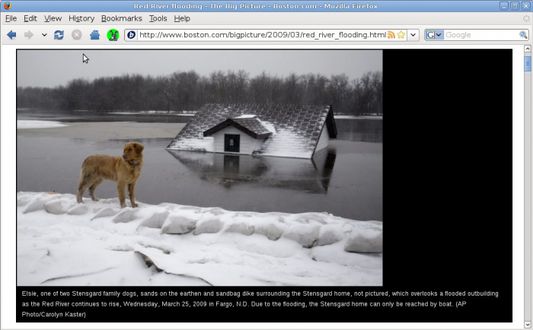
* On image galleries, clicking the arrow in the toolbar will skip you directly to the next image in the gallery.
* PageZipper automatically resizes images in photo galleries to fit your browser window.
Check out the video tour of PageZipper:
https://www.youtube.com/watch?v=HhX5TRBBTv4
More details: http://www.printwhatyoulike.com/pagezipper
To Install:
* After installing this add-on, go to View -> Toolbars -> Customize. Drag the zipper icon into your toolbar.
* To run PageZipper click the zipper icon
What It Does:
* As you scroll down a page, PageZipper automatically adds the next page to the bottom of the page you're on.
* Clicking the arrow in the toolbar will skip you directly to the top of the next page.
* On image galleries, clicking the arrow in the toolbar will skip you directly to the next image in the gallery.
* PageZipper automatically resizes images in photo galleries to fit your browser window.
리뷰어 34명이 4.6점으로 평가함
권한 및 데이터
추가 정보
- 부가 기능 링크
- 버전
- 1.5.2resigned1
- 크기
- 234.98 KB
- 최근 업데이트
- 2년 전 (2024년 4월 25일)
- 관련 카테고리
- 라이선스
- MIT 라이선스
- 버전 목록
- 모음집에 추가
* PageZipper doesn't work on sites which load the next page using javascript instead of a normal link.