
Paltalk Skin Changer 제작자: China-Cheats
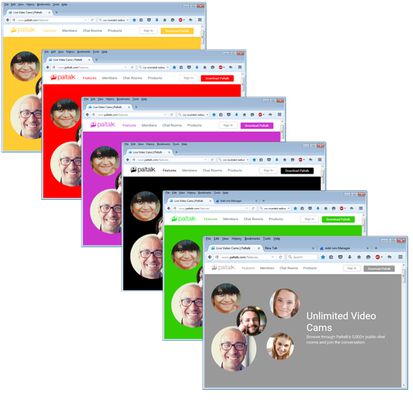
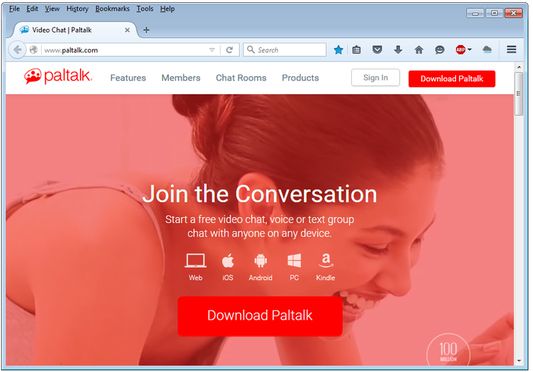
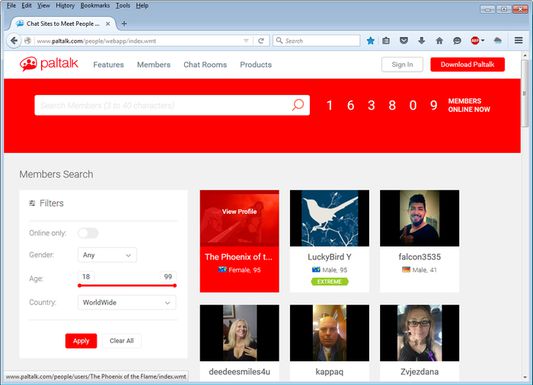
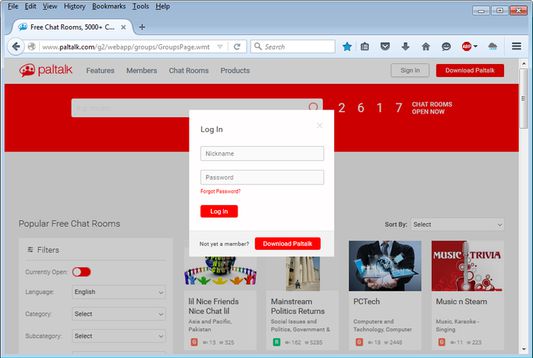
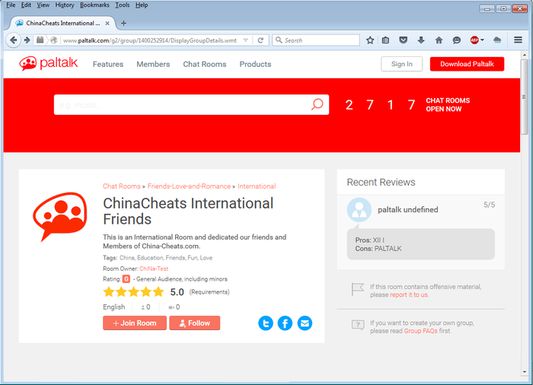
Paltalk Skin Changer allows you to Change the Look and Template Color on the Website www.Paltalk.com. You can choose any color using the Color Picker from the Options Page. The Change are immediate.
사용자 2명사용자 2명
확장 메타 데이터
스크린샷

정보
=============================
Download for other Web Browsers.
=============================
For Chrome: https://chrome.google.com/webstore/detail/paltalk-custom-skin-chang/fjmbedkakibgabfjfmfjgimokdfkcjfl
For Firefox: https://addons.mozilla.org/en-US/firefox/addon/paltalk-custom-skin-changer/
For Opera:...... Coming Soon. Awaitiing Moderation Cue on Opera.com
===========================
Paltalk Custom Skin Changer
===========================
Paltalk Custom Skin Changer is made for the Website Paltalk.com. Paltalk Messenger is world largest Voice and Text Chat Software by AVM Software. Paltalk recently Changed their old Website (www.Paltalk.com) to a new Simple and Unique Blue Style.
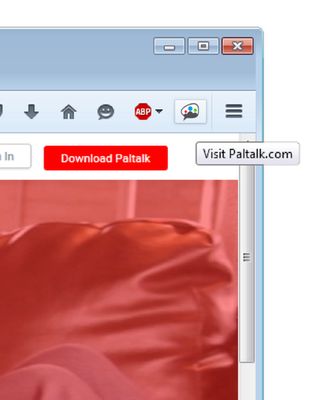
With Paltalk Custom Skin Changer you can now change the Skin Color of the Website www.Patlalk.com, Including all its Webpages by using the inbuilt Color Picker from the "Options" Page.In the new version of "Paltalk Custom Skin Changer" the Main Logo will also show up with the same Color you select for the Skin.
========================
New Version Updates!!!!
========================
If you are a regular Paltalk.com visitors then you may have noticed that Paltalk still havn't finished the Developings of many Web pages which still uses the old CSS and lookt. The good news is that the New version of "Paltalk Custom Skin Changer" we have made sure that it also takes care of almost all the Web Pages on Paltalk.com that hasnt been finished yet. Not that they all look perfect now, but at least the pages looks more decent and fits the Color that you select for the Skin. (This is only possible with help of "Paltalk Custom Skin Changer" Extension).
===========================================
How to Change the Skin Color (Options Page)
===========================================
To access the Options Page of the Extension, please follow the Steps below.
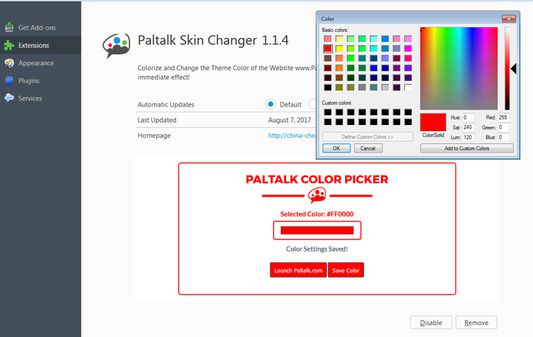
1) Click on Tools Menu > Addons > Below Paltalk Custom Skin Changer click on "Options" Button to Launch the Options Page.
2) From the Options Page simply Click on the "Color Picker" and Select yout Desired coloro for your Skin on Paltalk.com.
You can any color you wish from the Color Picker. In the new Version the Logo will have the exact same color that you Select for the Skin.
============================
Custom Logos on All Pages
============================
From version 1.0.6 the Paltalk Custom Skin Changer is also be able to Change the Logo main Logo Color based on the Color you select. We made this option better and now fits all the colors that you select from the Color Picker!
=====================
Changelog Version 1.0.7
=====================
- Dynamic and Static CSS Separated from the main JS Script.
- Now all colors can be set for the main Logo using the Color Picker
- More Faster and Better. Loadings.
- Propper Cleanup after Separation of Dynamic and Static CSS.
============
Credits & Thanks
============
Credits to UserStyles.Org
Download for other Web Browsers.
=============================
For Chrome: https://chrome.google.com/webstore/detail/paltalk-custom-skin-chang/fjmbedkakibgabfjfmfjgimokdfkcjfl
For Firefox: https://addons.mozilla.org/en-US/firefox/addon/paltalk-custom-skin-changer/
For Opera:...... Coming Soon. Awaitiing Moderation Cue on Opera.com
===========================
Paltalk Custom Skin Changer
===========================
Paltalk Custom Skin Changer is made for the Website Paltalk.com. Paltalk Messenger is world largest Voice and Text Chat Software by AVM Software. Paltalk recently Changed their old Website (www.Paltalk.com) to a new Simple and Unique Blue Style.
With Paltalk Custom Skin Changer you can now change the Skin Color of the Website www.Patlalk.com, Including all its Webpages by using the inbuilt Color Picker from the "Options" Page.In the new version of "Paltalk Custom Skin Changer" the Main Logo will also show up with the same Color you select for the Skin.
========================
New Version Updates!!!!
========================
If you are a regular Paltalk.com visitors then you may have noticed that Paltalk still havn't finished the Developings of many Web pages which still uses the old CSS and lookt. The good news is that the New version of "Paltalk Custom Skin Changer" we have made sure that it also takes care of almost all the Web Pages on Paltalk.com that hasnt been finished yet. Not that they all look perfect now, but at least the pages looks more decent and fits the Color that you select for the Skin. (This is only possible with help of "Paltalk Custom Skin Changer" Extension).
===========================================
How to Change the Skin Color (Options Page)
===========================================
To access the Options Page of the Extension, please follow the Steps below.
1) Click on Tools Menu > Addons > Below Paltalk Custom Skin Changer click on "Options" Button to Launch the Options Page.
2) From the Options Page simply Click on the "Color Picker" and Select yout Desired coloro for your Skin on Paltalk.com.
You can any color you wish from the Color Picker. In the new Version the Logo will have the exact same color that you Select for the Skin.
============================
Custom Logos on All Pages
============================
From version 1.0.6 the Paltalk Custom Skin Changer is also be able to Change the Logo main Logo Color based on the Color you select. We made this option better and now fits all the colors that you select from the Color Picker!
=====================
Changelog Version 1.0.7
=====================
- Dynamic and Static CSS Separated from the main JS Script.
- Now all colors can be set for the main Logo using the Color Picker
- More Faster and Better. Loadings.
- Propper Cleanup after Separation of Dynamic and Static CSS.
============
Credits & Thanks
============
Credits to UserStyles.Org
리뷰어 0명이 0점으로 평가함
권한 및 데이터
추가 정보
- 부가 기능 링크
- 버전
- 1.1.10resigned1
- 크기
- 34.76 KB
- 최근 업데이트
- 2년 전 (2024년 4월 25일)
- 관련 카테고리
- 버전 목록
- 모음집에 추가