PinPoint Pro 제작자: Paul Obiero
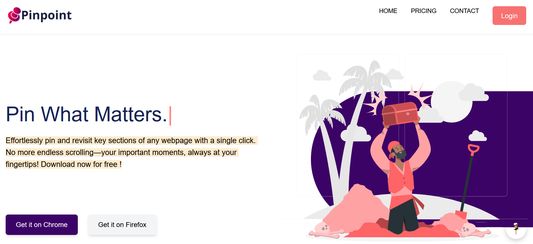
Pinpoint Extension enables specific pinning of words or lines by highlighting and saving links as pins, enhancing productivity. Easily revisit, edit, or share pins anytime enhancing collaboration.Pin what Matters!
사용자 없음사용자 없음
확장 메타 데이터
스크린샷
정보
Pinpoint Extension lets you pin specific words or lines by highlighting and saving them as smart bookmarks—called pins—for easy access, editing, or sharing. It boosts productivity and content recall while storing pins for easy reuse and collaboration.
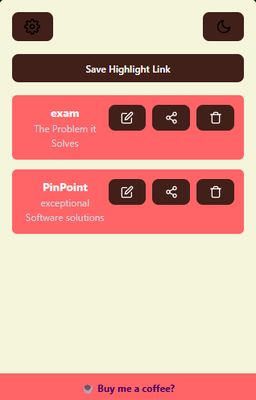
Designed with a clean 320x500px popup UI, Pinpoint includes:
Widget dropdown for fast pin access
Dark mode and color customization
Right-click-to-pin functionality
Secure, local storage for your privacy
One-click pin sharing via clipboard
Perfect for students, researchers, professionals, blog readers, and developers reading documentation
How to Test:
Highlight and right-click text to save it as a pin
Click the extension icon to open the popup
Edit, delete, or share pins from the popup
Customize appearance in settings
Try dark mode and the widget for quick access
Designed with a clean 320x500px popup UI, Pinpoint includes:
Widget dropdown for fast pin access
Dark mode and color customization
Right-click-to-pin functionality
Secure, local storage for your privacy
One-click pin sharing via clipboard
Perfect for students, researchers, professionals, blog readers, and developers reading documentation
How to Test:
Highlight and right-click text to save it as a pin
Click the extension icon to open the popup
Edit, delete, or share pins from the popup
Customize appearance in settings
Try dark mode and the widget for quick access
0명이 0점으로 평가함
권한 및 데이터
추가 정보
- 부가 기능 링크
- 버전
- 1.0
- 크기
- 763.51 KB
- 마지막 업데이트
- 일 년 전 (2025년 6월 13일)
- 관련 카테고리
- 라이선스
- MIT 라이선스
- 개인정보처리방침
- 이 부가 기능에 대한 개인정보처리방침 읽기
- 버전 목록
- 모음집에 추가
All pins are stored securely in local browser storage—no data is ever sent to a server. Features include a popup interface (320x500px), customizable themes, dark mode, and a floating widget for quick access. Users can right-click to pin content, rename it, and share it easily via clipboard.
The goal is to make online research, study, and documentation faster and more organized.