
Pipstamp 제작자: Ponkhy
A little tool to easily timestamp in YouTube livestreams and videos
확장 메타 데이터
스크린샷
정보
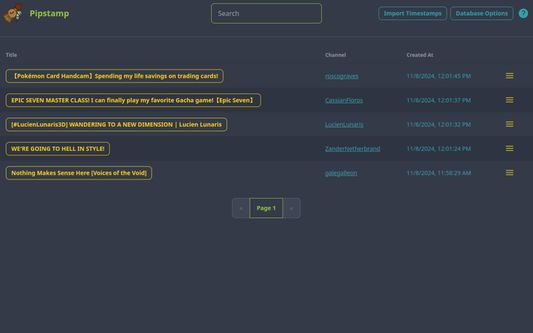
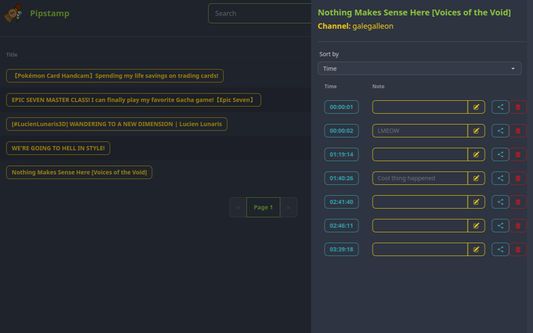
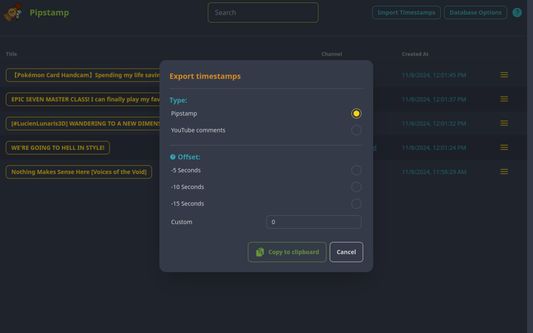
Pipstamp is a simple extension which provides an option to timestamp a YouTube video or livestream.
It is not limited to any specific channel, therefore it can be used on any YouTube Livestream, VOD and Video.
To create your first timestamp simply click on the clock icon which should appear in your YouTube media player.
Before creating your first timestamp you might need click on "Request Permissions" to allow access of the YouTube URLs.
Once a timestamp has been created a little marker will be placed on the videos timeline. By clicking on a marker you can also delete the timestamp.
Markers will always be placed on the timeline if a video has saved timestamps for it.
If a livestream has DVR not enabled the markers are not placed at the right position. Once the VOD is online and the page has been refresh they will be placed on the correct position.
It is not limited to any specific channel, therefore it can be used on any YouTube Livestream, VOD and Video.
To create your first timestamp simply click on the clock icon which should appear in your YouTube media player.
Before creating your first timestamp you might need click on "Request Permissions" to allow access of the YouTube URLs.
Once a timestamp has been created a little marker will be placed on the videos timeline. By clicking on a marker you can also delete the timestamp.
Markers will always be placed on the timeline if a video has saved timestamps for it.
If a livestream has DVR not enabled the markers are not placed at the right position. Once the VOD is online and the page has been refresh they will be placed on the correct position.
리뷰어 0명이 0점으로 평가함
권한 및 데이터
필수 권한:
- youtube.com 도메인의 사이트에서 사용자의 데이터에 접근
- youtu.be 도메인의 사이트에서 사용자의 데이터에 접근
- youtube.com에서 사용자의 데이터에 접근
- youtu.be에서 사용자의 데이터에 접근
추가 정보
- 부가 기능 링크
- 버전
- 1.0.5
- 크기
- 132.19 KB
- 최근 업데이트
- 일 년 전 (2025년 10월 16일)
- 라이선스
- MIT 라이선스
- 버전 목록
- 태그
- 모음집에 추가