Pixzens Screenshot Beautifier 제작자: Spirit Fox Lab
Professional screenshot beautification tool with fullscreen, area, and scrolling capture, one-click editing
사용자 6명사용자 6명
확장 메타 데이터
스크린샷
정보
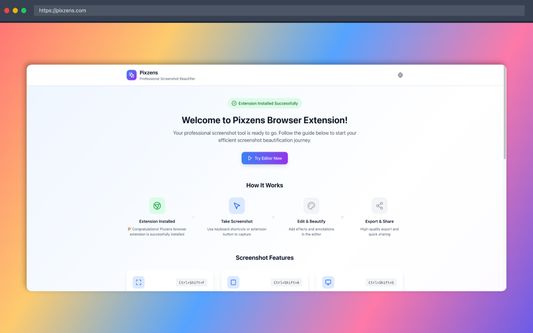
Pixzens is a powerful screenshot beautification extension that provides professional-grade screenshot capture and editing experience for users.
🎯 Core Features
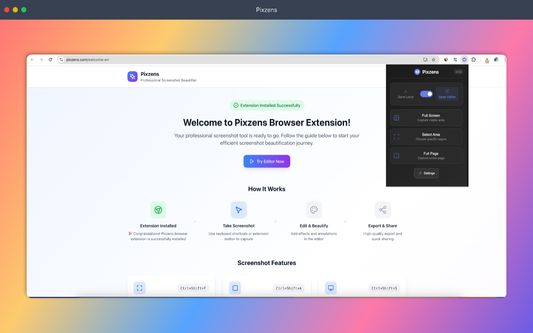
Fullscreen Capture - Quickly capture the current visible area
Area Selection - Precisely select any region for screenshot
Scrolling Capture - Automatically capture complete long-page content
One-click Beautification - Auto-redirect to editor for enhancement after capture
🚀 Professional Features
Smart area selection with precise pixel-level positioning
High-quality image output supporting PNG/JPG/WebP formats
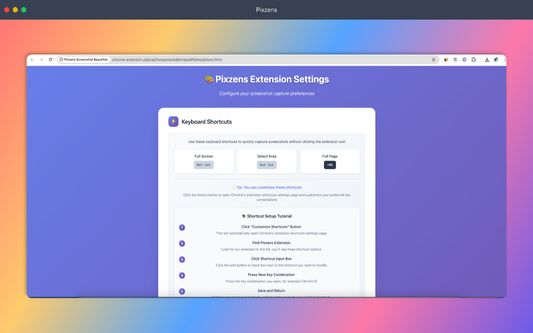
Keyboard shortcut support for improved workflow efficiency
Perfect integration with Pixzens.com editor
🎨 Editing Capabilities
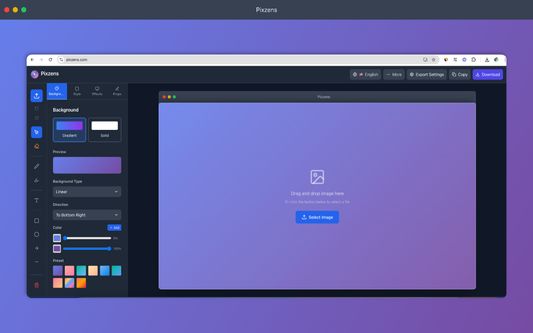
Through the integrated Pixzens editor, users can:
Add gradient backgrounds and window frames
Adjust image size, border radius, and shadow effects
Apply professional templates and social media dimensions
One-click copy to clipboard or download and save
Perfect for designers, developers, content creators, and anyone who needs high-quality screenshots.
🎯 Core Features
Fullscreen Capture - Quickly capture the current visible area
Area Selection - Precisely select any region for screenshot
Scrolling Capture - Automatically capture complete long-page content
One-click Beautification - Auto-redirect to editor for enhancement after capture
🚀 Professional Features
Smart area selection with precise pixel-level positioning
High-quality image output supporting PNG/JPG/WebP formats
Keyboard shortcut support for improved workflow efficiency
Perfect integration with Pixzens.com editor
🎨 Editing Capabilities
Through the integrated Pixzens editor, users can:
Add gradient backgrounds and window frames
Adjust image size, border radius, and shadow effects
Apply professional templates and social media dimensions
One-click copy to clipboard or download and save
Perfect for designers, developers, content creators, and anyone who needs high-quality screenshots.
0명이 0점으로 평가함
권한 및 데이터
필수 권한:
- 파일을 다운로드하고 브라우저의 다운로드 기록을 읽고 수정
- 알림 표시
- 브라우저 탭에 접근
- 모든 웹사이트에서 사용자의 데이터에 접근
선택적 권한:
- 모든 웹사이트에서 사용자의 데이터에 접근
추가 정보
- 부가 기능 링크
- 버전
- 1.0.1
- 크기
- 173.91 KB
- 마지막 업데이트
- 6달 전 (2025년 11월 12일)
- 라이선스
- MIT 라이선스
- 개인정보처리방침
- 이 부가 기능에 대한 개인정보처리방침 읽기
- 버전 목록
- 모음집에 추가