Print PDF 제작자: Senthil Ponnusamy
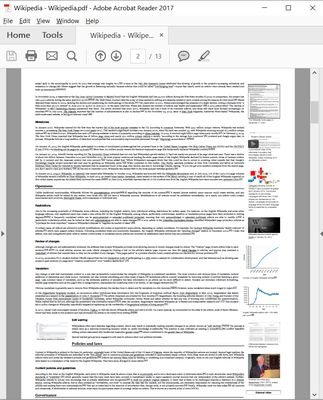
Print any Webpage to PDF. No server or third-party processing. Uses built-in Firefox converter.
사용자 1,642명사용자 1,642명
확장 메타 데이터
스크린샷
정보
You can print/save any webpage to PDF by any of the following methods.
- A Single click on the icon.
- Keyboard Shortcut - Ctrl+Alt+P.
- You can customize the shortcut.
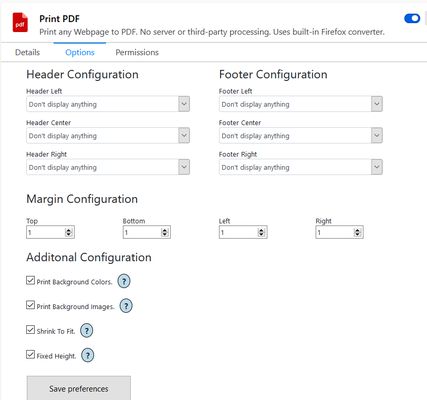
In the configuration panel, you can configure the following-
- Page margins.
- Page header/footer.
- Include or exclude Background images.
- Include or exclude Background color.
- Shrink to one page PDF.
- Fixed Height for longer pages.
- Default configuration will just work.
- A Single click on the icon.
- Keyboard Shortcut - Ctrl+Alt+P.
- You can customize the shortcut.
In the configuration panel, you can configure the following-
- Page margins.
- Page header/footer.
- Include or exclude Background images.
- Include or exclude Background color.
- Shrink to one page PDF.
- Fixed Height for longer pages.
- Default configuration will just work.
16명이 3.5점으로 평가함
추가 정보
- 부가 기능 링크
- 버전
- 2.0
- 크기
- 98.5 KB
- 마지막 업데이트
- 3년 전 (2023년 2월 16일)
- 관련 카테고리
- 라이선스
- All Rights Reserved
- 버전 목록
- 모음집에 추가