
Proxy Toggle 제작자: Ben
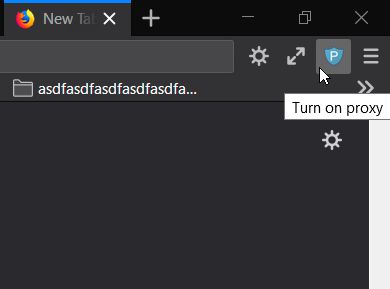
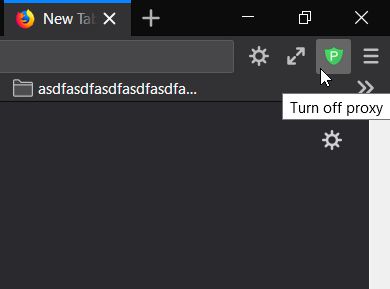
Button to switch between system-set (off) and manually-set (on) proxy.
사용자 229명사용자 229명
확장 메타 데이터
스크린샷
정보
This extension uses the existing proxy settings in Firefox. It simply adds a toggle button to the toolbar.
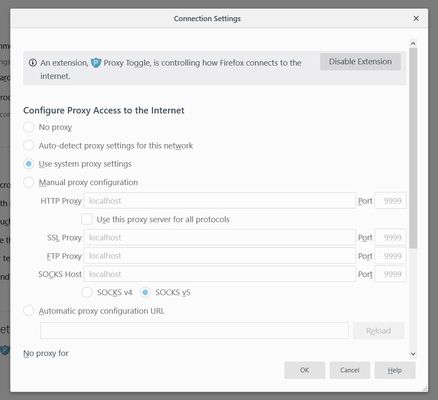
The Firefox proxy settings are in:
[Options > General > Network Settings > Configure Proxy Access to the Internet].
To change the proxy configuration or the default on/off state:
The add-on must be allowed in Private Windows to work (FF 67+).
Advanced note:
The extension resets the proxy setting on startup. If there are no other extensions modifying it, the setting will revert to the user-set value. To learn more about how Firefox manages setting changes, see Firefox BrowserSetting (MDN).
The Firefox proxy settings are in:
[Options > General > Network Settings > Configure Proxy Access to the Internet].
To change the proxy configuration or the default on/off state:
- Disable the extension.
- Change the Firefox proxy settings.
- Re-enable the extension.
The add-on must be allowed in Private Windows to work (FF 67+).
Advanced note:
The extension resets the proxy setting on startup. If there are no other extensions modifying it, the setting will revert to the user-set value. To learn more about how Firefox manages setting changes, see Firefox BrowserSetting (MDN).
리뷰어 31명이 4점으로 평가함
권한 및 데이터
추가 정보
- 부가 기능 링크
- 버전
- 1.3
- 크기
- 30.17 KB
- 최근 업데이트
- 7년 전 (2019년 10월 27일)
- 관련 카테고리
- 라이선스
- All Rights Reserved
- 버전 목록
- 모음집에 추가