
Search with Youtube™ 제작자: codehemu
Select and search in Youtube with mouse right-click.
사용자 10명사용자 10명
확장 메타 데이터
스크린샷
정보
Search with YouTube™ is a browser extension that enables you to search desired keywords in YouTube.
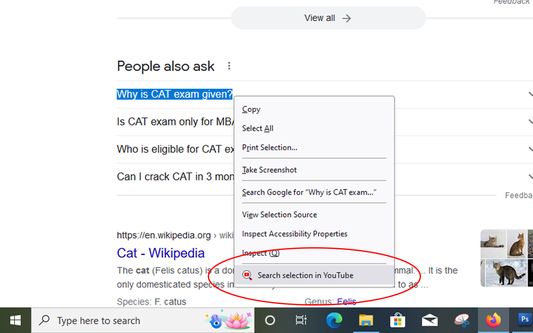
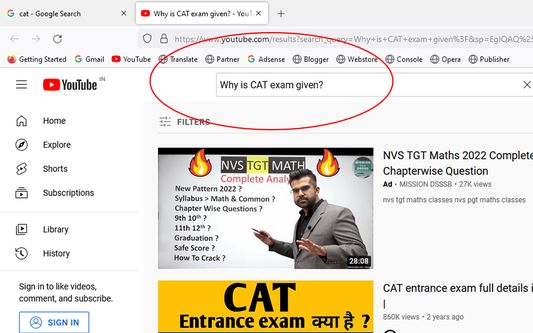
Working with this addon is very easy. Just right-click on a selected word or sentence and then click on "Search in YouTube" item in context menu. A new tab will be open with YouTube page loaded in it.
Please note that, if your keyword (right-click text selection) has a distinct YouTube page, this page will be open in a new tab once you click on the context-menu item. But, if your keyword does not match a distinct page, the YouTube search page (a page with multiple matched items) will be open once you click on the context-menu item.
In order to report bugs, please fill the bug report form in the addon's homepage.
Working with this addon is very easy. Just right-click on a selected word or sentence and then click on "Search in YouTube" item in context menu. A new tab will be open with YouTube page loaded in it.
Please note that, if your keyword (right-click text selection) has a distinct YouTube page, this page will be open in a new tab once you click on the context-menu item. But, if your keyword does not match a distinct page, the YouTube search page (a page with multiple matched items) will be open once you click on the context-menu item.
In order to report bugs, please fill the bug report form in the addon's homepage.
리뷰어 0명이 0점으로 평가함
권한 및 데이터
추가 정보
- 부가 기능 링크
- 버전
- 1.0.1
- 크기
- 50.08 KB
- 최근 업데이트
- 4년 전 (2022년 9월 24일)
- 개인정보처리방침
- 이 부가 기능에 대한 개인정보처리방침 읽기
- 버전 목록
- 모음집에 추가