
Securden 제작자: Securden, Inc.
The most secure, web-based password management for teams of all sizes.
사용자 263명사용자 263명
확장 메타 데이터
스크린샷
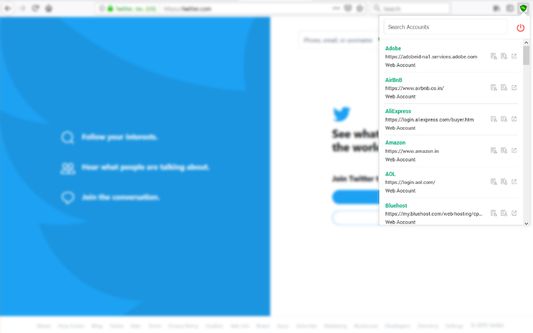
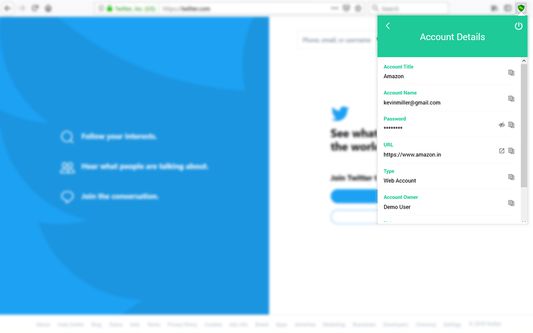
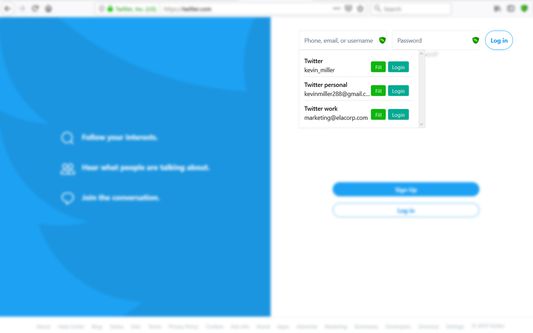
정보
(Prerequisite: You should have installed Securden Password Vault in your local network for this browser extension to work.)
The most secure, web-based password management for teams of all sizes.
Designed for security and crafted for IT teams, Securden's on-premise, self-hosted Password Manager lets you centrally store, organize, share, and keep track of all passwords.
**Centrally Store**
Securely store all logins, passwords, access keys, documents and other sensitive data in the central vault.
**Get Organized**
Organize passwords, users as folders and groups reflecting organizational hierarchy and assign access rights.
**Collaborate and Share With Team**
Define ownership for accounts and let owners share passwords with the team while retaining control.
**Control Access to IT**
Establish controls on who can access what passwords. Provision and de-provision access seamlessly.
**Integrate With Active Directory**
Integrate with Active Directory for user authentication, onboarding and automatic offboarding.
**Track Activities With Logs, Reports**
Maintain a complete trail of password activity across the organization. Generate access, usage reports.
**Security**
"The overall security posture of the product is very good, and above the industry standard"
-- Experts from Agile Infosec, London.
Securden handles your passwords and other critical data with extreme security. Sensitive data are encrypted using AES-256, the strongest known, military-grade algorithm.
In addition, SSL/TLS has been enforced on all connections/communication, which ensures end-to-end, complete encryption.
Multi-factor authentication
Add an additional layer of security by enforcing a second authentication factor.
**Why use browser extension?**
Login seamlessly with one click
You can directly login to websites without the hassles of copying and pasting the passwords.
Store multiple accounts for the same website
If you have more than one account for a website, the list of all saved accounts will be shown in a drop-down and you can choose any specific account to login.
Save new logins with a single click
If you are creating a new account on a website, you can save it to Securden Password Vault from the browser extension itself.
The most secure, web-based password management for teams of all sizes.
Designed for security and crafted for IT teams, Securden's on-premise, self-hosted Password Manager lets you centrally store, organize, share, and keep track of all passwords.
**Centrally Store**
Securely store all logins, passwords, access keys, documents and other sensitive data in the central vault.
**Get Organized**
Organize passwords, users as folders and groups reflecting organizational hierarchy and assign access rights.
**Collaborate and Share With Team**
Define ownership for accounts and let owners share passwords with the team while retaining control.
**Control Access to IT**
Establish controls on who can access what passwords. Provision and de-provision access seamlessly.
**Integrate With Active Directory**
Integrate with Active Directory for user authentication, onboarding and automatic offboarding.
**Track Activities With Logs, Reports**
Maintain a complete trail of password activity across the organization. Generate access, usage reports.
**Security**
"The overall security posture of the product is very good, and above the industry standard"
-- Experts from Agile Infosec, London.
Securden handles your passwords and other critical data with extreme security. Sensitive data are encrypted using AES-256, the strongest known, military-grade algorithm.
In addition, SSL/TLS has been enforced on all connections/communication, which ensures end-to-end, complete encryption.
Multi-factor authentication
Add an additional layer of security by enforcing a second authentication factor.
**Why use browser extension?**
Login seamlessly with one click
You can directly login to websites without the hassles of copying and pasting the passwords.
Store multiple accounts for the same website
If you have more than one account for a website, the list of all saved accounts will be shown in a drop-down and you can choose any specific account to login.
Save new logins with a single click
If you are creating a new account on a website, you can save it to Securden Password Vault from the browser extension itself.
리뷰어 1명이 4점으로 평가함
권한 및 데이터
추가 정보
- 부가 기능 링크
- 버전
- 3.4.4.0
- 크기
- 1.12 MB
- 최근 업데이트
- 한 달 전 (2026년 8월 25일)
- 관련 카테고리
- 라이선스
- All Rights Reserved
- 개인정보처리방침
- 이 부가 기능에 대한 개인정보처리방침 읽기
- 사용자 라이선스 동의서
- 이 부가 기능에 대한 사용권 계약 읽기
- 버전 목록
- 모음집에 추가