Firefox 브라우저 부가 기능
  • 확장 기능
  • 테마
    • Firefox용
    • 사전 및 언어 팩
    • 다른 브라우저 사이트
    • Android 부가 기능
로그인
SecureSafe Password Manager 미리보기

SecureSafe Password Manager 제작자: DSwiss AG

Use the SecureSafe password manager to keep track of your ever-growing list of passwords.

3.9 (리뷰 19개)3.9 (리뷰 19개)
사용자 1,329명사용자 1,329명
Firefox를 다운로드하고 확장 기능을 받으세요
파일 다운로드

확장 메타 데이터

스크린샷
정보
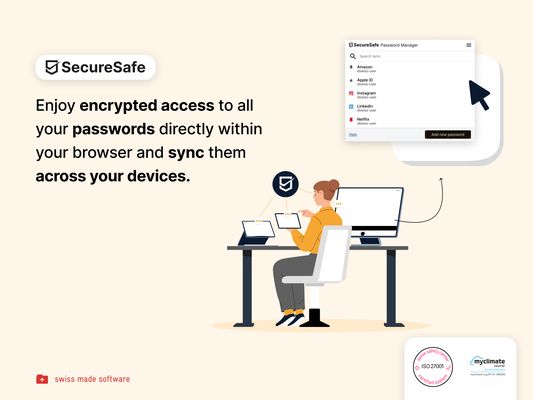
Password management directly from your browser
With the SecureSafe Browser Extension, you can log into websites, online stores or web applications directly from your browser.

How do I log in to the SecureSafe Password Manager from my browser?
Open the SecureSafe password manager by clicking on the SecureSafe icon in the top right-hand corner of the browser bar. Now log in with your SecureSafe username and password. If you do not yet have a SecureSafe account, you can register for free via our web or mobile app.

How can I automatically insert passwords in the login field?
Search for the password entry using the search field. Select the desired password entry with the mouse and click on the "Fill in" button to automatically populate the login fields.
19명이 3.9점으로 평가함
로그인하여 이 확장 기능의 평점을 남겨주세요
아직 평점이 없습니다

별점 저장됨

5
11
4
3
3
1
2
0
1
4
리뷰 19개 모두 읽기
권한 및 데이터

필수 권한:

  • 알림 표시
  • 브라우저 탭에 접근
  • 탐색 중 브라우저 활동에 접근
  • 모든 웹사이트에서 사용자의 데이터에 접근
더 알아보기
추가 정보
부가 기능 링크
  • 홈 페이지
  • 지원 사이트
  • Copy add-on ID
버전
1.4.1.1
크기
4.75 MB
마지막 업데이트
7달 전 (2025년 10월 28일)
관련 카테고리
  • 기타
라이선스
All Rights Reserved
개인정보처리방침
이 부가 기능에 대한 개인정보처리방침 읽기
버전 목록
  • 모든 버전 보기
태그
  • password manager
모음집에 추가
이 부가 기능 신고
Mozilla 홈페이지로 이동

부가 기능

  • 소개
  • Firefox 부가 기능 블로그
  • 확장 기능 워크샵
  • 개발자 허브
  • 개발자 정책
  • 커뮤니티 블로그
  • 포럼
  • 버그 신고
  • 리뷰 지침

브라우저

  • Desktop
  • Mobile
  • Enterprise

제품

  • Browsers
  • VPN
  • Relay
  • Monitor
  • Pocket
  • Bluesky (@firefox.com)
  • Instagram (Firefox)
  • YouTube (firefoxchannel)
  • 개인 정보
  • 쿠키
  • 법률

특별한 고지가 없는 한, 본 사이트의 콘텐츠는 Commons Attribution Share-Alike License v3.0 또는 그 이후 버전에 따라 사용이 허가됩니다.