
Sitemap Explorer: Check and View XML Sitemaps 제작자: MySitemapGenerator
This extension helps you find, inspect, export, and view XML Sitemap files for any site you navigate in a browser.
사용자 295명사용자 295명
확장 메타 데이터
스크린샷
정보
Sitemap Explorer is a helpful and easy-to-use add-on that helps you find, inspect, export, and view XML Sitemap files for any site you navigate in a browser.
Add-on features:
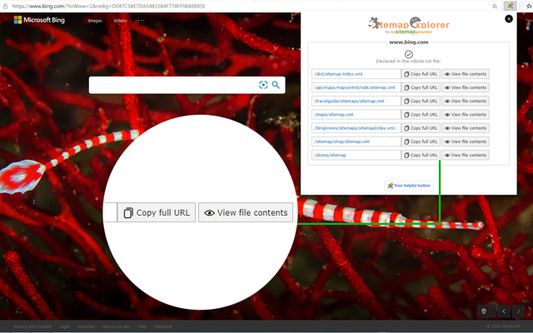
- Automatically detects XML Sitemaps declared in the robots.txt file of any site you develop, administer or analyze.
- Displays XML contents of Sitemap files in a human-readable form.
- Validates XML syntax (XML Sitemaps and Atom protocols are supported).
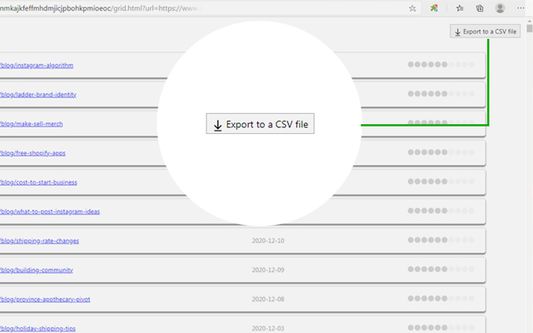
- One-click export of URLs list from XML Sitemap to a local CSV file.
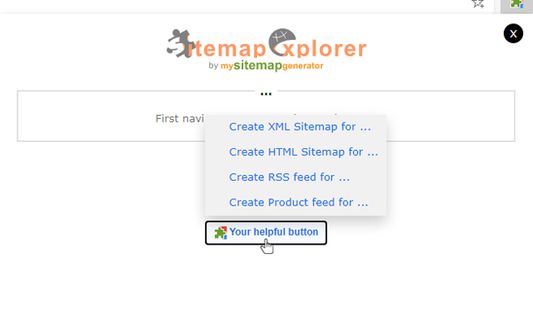
- Contains “Your Helpful Button” that you can use to easily create a Sitemap, RSS, or Product feed (for eCommerce sites) file from the current URL.
How to use:
1. Open the URL of any site in your browser and click the Sitemap Explorer icon in your toolbar.
2. Get information about the Sitemaps for the current site.
3. Now, you can open file view or copy the full URL of the file to your clipboard.
Sitemap Explorer for Firefox is a software product of MySitemapGenerator.
By installing this extension, you agree to the MySitemapGenerator.com Terms of Use (https://www.mysitemapgenerator.com/info/terms.html) and acknowledge that you have read MySitemapGenerator Privacy Policy (https://www.mysitemapgenerator.com/info/privacypolicy.html).
Add-on features:
- Automatically detects XML Sitemaps declared in the robots.txt file of any site you develop, administer or analyze.
- Displays XML contents of Sitemap files in a human-readable form.
- Validates XML syntax (XML Sitemaps and Atom protocols are supported).
- One-click export of URLs list from XML Sitemap to a local CSV file.
- Contains “Your Helpful Button” that you can use to easily create a Sitemap, RSS, or Product feed (for eCommerce sites) file from the current URL.
How to use:
1. Open the URL of any site in your browser and click the Sitemap Explorer icon in your toolbar.
2. Get information about the Sitemaps for the current site.
3. Now, you can open file view or copy the full URL of the file to your clipboard.
Sitemap Explorer for Firefox is a software product of MySitemapGenerator.
By installing this extension, you agree to the MySitemapGenerator.com Terms of Use (https://www.mysitemapgenerator.com/info/terms.html) and acknowledge that you have read MySitemapGenerator Privacy Policy (https://www.mysitemapgenerator.com/info/privacypolicy.html).
리뷰어 2명이 5점으로 평가함
권한 및 데이터
추가 정보
- 부가 기능 링크
- 버전
- 1.0.0
- 크기
- 92.8 KB
- 마지막 업데이트
- 6년 전 (2020년 12월 26일)
- 관련 카테고리
- 버전 목록
- 모음집에 추가