
Slowify - mindful browsing 제작자: Guy
Add a countdown timer before opening selected websites.
사용자 2명사용자 2명
확장 메타 데이터
스크린샷
정보
Do you find yourself accessing certain addictive websites without thinking? Would you like to reduce your mindless use of these sites?
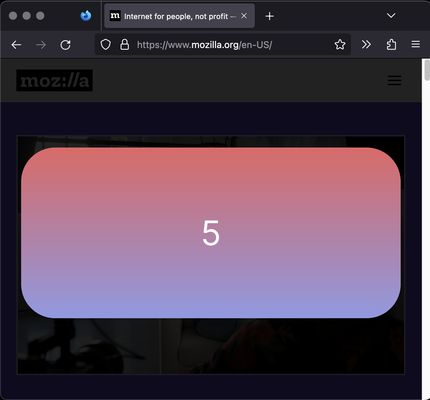
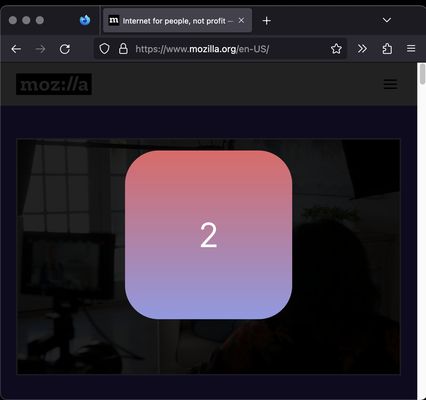
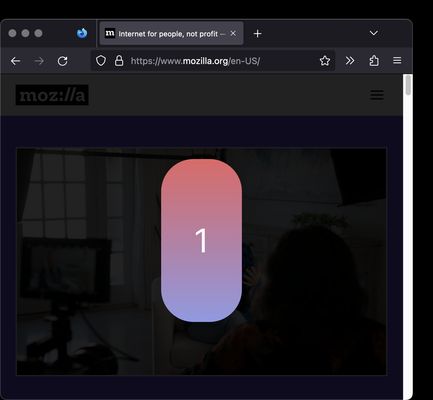
Slowify slows down your automated usage of of these addictive websites by adding a "slowify" timer after the page loads. The timer blocks the normal website usage for a few seconds and displays a large "slowify" loading bar to remind you that you are on a site you want to monitor your usage of.
The timer will not display again as long as you stay active on the website. This allows you to interact normally with the site. To always display the timer, set the timeout setting to 0 in the add-on's settings.
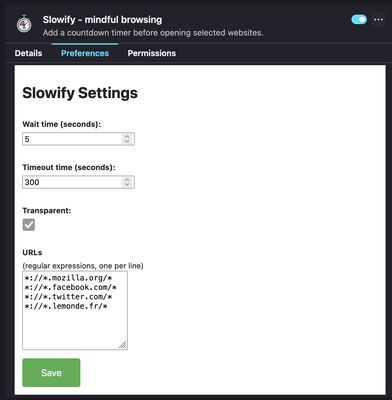
You can customize:
- The list of websites to "slowify"
- The length of the slowify load timer
- The length of time you can be away from the website before the timer will return on your next visit. This allows you to not show the slowify timer each time you use a tab when actively working on the website.
Notes:
- currently the same slowify timer is shared by all the slowified websites
- clicking away from a tab before the timer finishes will cause a restart of the timer when you come back. Only a full run of the timer will allow you normal access to the website.
Slowify slows down your automated usage of of these addictive websites by adding a "slowify" timer after the page loads. The timer blocks the normal website usage for a few seconds and displays a large "slowify" loading bar to remind you that you are on a site you want to monitor your usage of.
The timer will not display again as long as you stay active on the website. This allows you to interact normally with the site. To always display the timer, set the timeout setting to 0 in the add-on's settings.
You can customize:
- The list of websites to "slowify"
- The length of the slowify load timer
- The length of time you can be away from the website before the timer will return on your next visit. This allows you to not show the slowify timer each time you use a tab when actively working on the website.
Notes:
- currently the same slowify timer is shared by all the slowified websites
- clicking away from a tab before the timer finishes will cause a restart of the timer when you come back. Only a full run of the timer will allow you normal access to the website.
리뷰어 0명이 0점으로 평가함
권한 및 데이터
추가 정보
- 부가 기능 링크
- 버전
- 1.0.2
- 크기
- 19.71 KB
- 최근 업데이트
- 4년 전 (2023년 3월 10일)
- 관련 카테고리
- 버전 목록
- 모음집에 추가