
Soffid Password Manager 제작자: Gabriel Buades, Patricia García
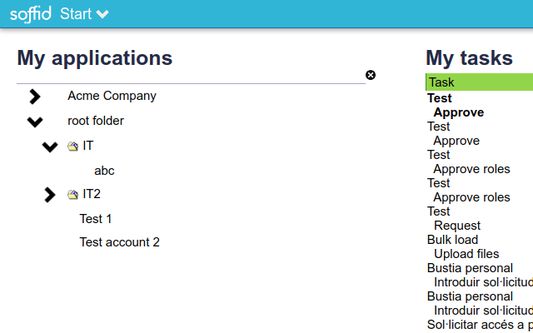
Enables Soffid self-service to start new remote applications
사용자 46명사용자 46명
확장 메타 데이터
스크린샷
정보
The aim of this addon is to inject user-names and password into selected applications, as part of our open-source identity governance and single sign on product. The sequence is as follows:
1. System administrator allows a users to use any application, and creates a user account for him/her.
2. Soffid sync-server creates the account and assigns a random passwords
3. The user opens the self-service portal and clicks on the selected application icon.
4. She self service portal decrypts the password required to use the selected application and notifies the firefox addon to use them.
5. The firefox addon opens the selected application URL, and gets the script to inject the user name and password from the trusted URL https://www.soffid.com/ssokm/v1/script.
6. The firefox addon executes the downloaded script with the password sent by the self service portal.
Follow this link to install Soffid server side: http://confluence.soffid.org/display/SOF/Soffid+IAM+Installation
1. System administrator allows a users to use any application, and creates a user account for him/her.
2. Soffid sync-server creates the account and assigns a random passwords
3. The user opens the self-service portal and clicks on the selected application icon.
4. She self service portal decrypts the password required to use the selected application and notifies the firefox addon to use them.
5. The firefox addon opens the selected application URL, and gets the script to inject the user name and password from the trusted URL https://www.soffid.com/ssokm/v1/script.
6. The firefox addon executes the downloaded script with the password sent by the self service portal.
Follow this link to install Soffid server side: http://confluence.soffid.org/display/SOF/Soffid+IAM+Installation
리뷰어 0명이 0점으로 평가함
권한 및 데이터
추가 정보
- 부가 기능 링크
- 버전
- 2.1.13
- 크기
- 58.22 KB
- 최근 업데이트
- 9달 전 (2026년 1월 14일)
- 관련 카테고리
- 버전 목록
- 모음집에 추가