Speak Dictionary 제작자: Aakash Pawar
Speak Dictionary displays the meaning/definition of any word selected by the user on any webpage and also speaks the meaning/definition of the selected word.
사용자 5명사용자 5명
확장 메타 데이터
스크린샷
정보
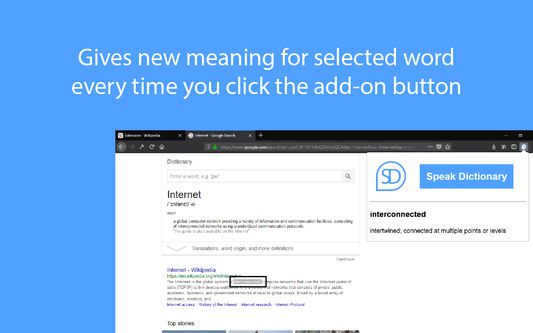
Speak Dictionary displays the meaning/definition of the word which you have selected on a webpage. It is displayed on popup window which opens when you click on the add-on button with Speak Dictionary icon which is on the top right corner of the screen. On the popup you will see the word which you have selected and the meaning/definition of the word below it.
And as the name suggests, it also speaks the meaning/definition of the word which is displayed. So, after you select the word what you have to do is, just click on the add-on button with Speak Dictionary logo or press Ctrl + Q to open the popup and you will see that as soon as the selected word and its definition is displayed, the speech also starts where the selected word is spoken first and then the meaning/definition of the word is spoken.
The Default Shortcut key to open the popup is Ctrl + Q.
And as the name suggests, it also speaks the meaning/definition of the word which is displayed. So, after you select the word what you have to do is, just click on the add-on button with Speak Dictionary logo or press Ctrl + Q to open the popup and you will see that as soon as the selected word and its definition is displayed, the speech also starts where the selected word is spoken first and then the meaning/definition of the word is spoken.
The Default Shortcut key to open the popup is Ctrl + Q.
2명이 2.5점으로 평가함
권한 및 데이터
추가 정보
- 부가 기능 링크
- 버전
- 1.3resigned1
- 크기
- 28.13 KB
- 마지막 업데이트
- 2년 전 (2024년 4월 25일)
- 관련 카테고리
- 라이선스
- MIT 라이선스
- 버전 목록
- 모음집에 추가