
Take-Screenshots 제작자: Nikhil S Kalburgi
Take Screen shots With Three different tools and download them into your download management.
사용자 4명사용자 4명
확장 메타 데이터
스크린샷
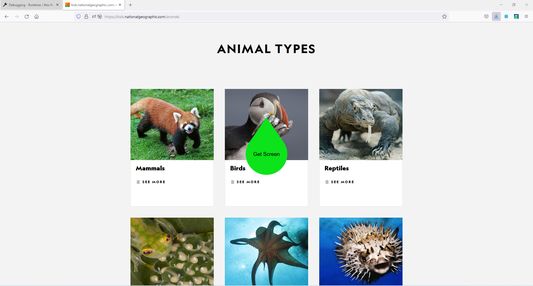
정보
This add-on helps the users to take screen shots.
It has three tools of taking screen shots , which are :
1. Polygon Clipping : Using this one can take a screen image of irregular shape.
2.Rectangular Clipping : Using this one can take a rectangular shaped screen shot.
3.Circle Clipping : Using this one can take a Circular shaped screen shot.
These tools are depicted at the bottom of the screen
Note :
This add-on works only when it is in a full screen mode and when has access to the display screen.
so the user needs to provide access to the required resources through red color circular buttons which will be displayed at the center of the screen whenever you press the extension icon.
It has three tools of taking screen shots , which are :
1. Polygon Clipping : Using this one can take a screen image of irregular shape.
2.Rectangular Clipping : Using this one can take a rectangular shaped screen shot.
3.Circle Clipping : Using this one can take a Circular shaped screen shot.
These tools are depicted at the bottom of the screen
Note :
This add-on works only when it is in a full screen mode and when has access to the display screen.
so the user needs to provide access to the required resources through red color circular buttons which will be displayed at the center of the screen whenever you press the extension icon.
0명이 0점으로 평가함
권한 및 데이터
필수 권한:
- 열려있는 탭의 데이터에 접근하도록 개발자 도구 확장
- 파일을 다운로드하고 브라우저의 다운로드 기록을 읽고 수정
- 컴퓨터에 다운로드된 파일 열기
- 탐색 중 브라우저 활동에 접근
- 모든 웹사이트에서 사용자의 데이터에 접근
추가 정보
- 부가 기능 링크
- 버전
- 1.0.6
- 크기
- 27.13 KB
- 마지막 업데이트
- 4년 전 (2022년 9월 27일)
- 관련 카테고리
- 버전 목록
- 모음집에 추가