
YouTube Remote Control 제작자: Wrybread
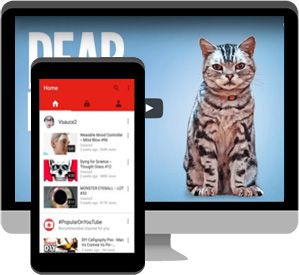
This allows you to remote control a YouTube window running on a laptop or desktop from the YouTube app running on your phone or other mobile device.
사용자 415명사용자 415명
확장 메타 데이터
스크린샷
정보
Out of the box youtube.com/tv won't load in a regular browser, only on a TV. But this extension changes that, which lets you remote control a YouTube browser window from your phone or other mobile device.
To use:
- Open youtube.com/tv from a laptop or desktop. This is the window you'll be remote controlling.
- click the Settings icon at the bottom left of that window, then "link with TV code" and it'll show you a code.
- open the YouTube app on your phone and go to Settings > Watch on TV > Enter TV Code and enter that code and press the "link" button. You should now see a cast icon at the top of the app, click it.
- Or in theory, if you're on the same wifi network, you can simply open the YouTube app on your phone and have the cast icon appear even without manually linking, but this doesn't work as reliably.
After linking, whatever you play in the YouTube app on your phone will play in the YouTube window on your laptop or desktop. Whoo hoo!
To stop casting, click the Cast icon again and choose "disconnect".
Troubleshooting: if it doesn't work or stops working: in the youtube.com/tv browser window go to Settings > Linked Devices and click "unlink all devices". And on your mobile device kill and relaunch the YouTube app and repeat the steps above.
To use:
- Open youtube.com/tv from a laptop or desktop. This is the window you'll be remote controlling.
- click the Settings icon at the bottom left of that window, then "link with TV code" and it'll show you a code.
- open the YouTube app on your phone and go to Settings > Watch on TV > Enter TV Code and enter that code and press the "link" button. You should now see a cast icon at the top of the app, click it.
- Or in theory, if you're on the same wifi network, you can simply open the YouTube app on your phone and have the cast icon appear even without manually linking, but this doesn't work as reliably.
After linking, whatever you play in the YouTube app on your phone will play in the YouTube window on your laptop or desktop. Whoo hoo!
To stop casting, click the Cast icon again and choose "disconnect".
Troubleshooting: if it doesn't work or stops working: in the youtube.com/tv browser window go to Settings > Linked Devices and click "unlink all devices". And on your mobile device kill and relaunch the YouTube app and repeat the steps above.
리뷰어 3명이 3.7점으로 평가함
권한 및 데이터
추가 정보
- 부가 기능 링크
- 버전
- 1.31
- 크기
- 56.99 KB
- 마지막 업데이트
- 6년 전 (2020년 11월 5일)
- 관련 카테고리
- 버전 목록
- 모음집에 추가