Tig 제작자: Daniel Li
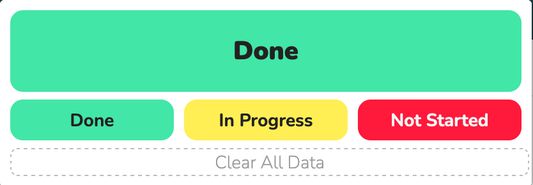
Allow you to tag pages with a color and text. Useful for tagging articles/documentation as read/understood, for revision by tagging articles as 'Mastered', 'In Progress', and 'Need Help'.
사용자 1명사용자 1명
확장 메타 데이터
스크린샷
정보
How to Use: Click the extension icon and select a color (currently only green, yellow, and red), and every time you come back to this page, the extension icon will show the color you selected. Click "Clear All Data" to remove all colors from all pages.
Why Use Tig: Ever read through a large documentation or revision site but keep forgetting if you've read that page or not? Especially if there's a lot of repetition? Well, now you can tag the page so that if it's green, you know you've consumed the page and there's no need to re-read it.
1명이 5점으로 평가함
권한 및 데이터
추가 정보
- 부가 기능 링크
- 버전
- 1.0
- 크기
- 203.66 KB
- 마지막 업데이트
- 5년 전 (2020년 12월 25일)
- 관련 카테고리
- 라이선스
- All Rights Reserved
- 버전 목록
- 모음집에 추가