
Toggle Resist Fingerprinting 제작자: Aaron Papp
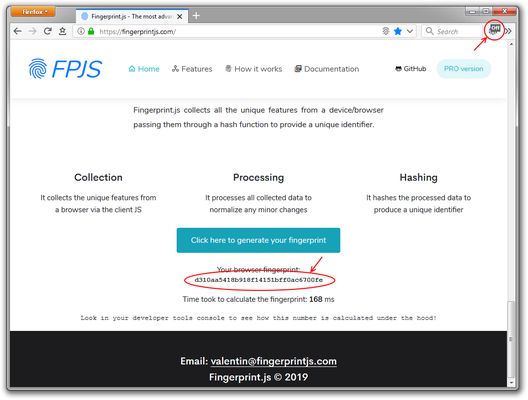
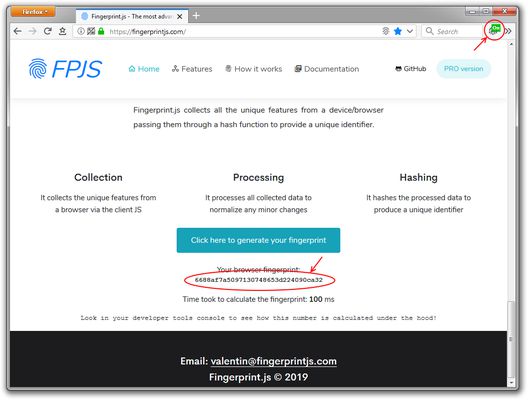
Adds a button to the tab bar to toggle the "resist fingerprinting" setting.
사용자 383명사용자 383명
확장 메타 데이터
스크린샷
정보
Adds a button to the tab bar* to toggle the "resist fingerprinting" setting; to help prevent websites from fingerprinting your browser for tracking purposes.
Enabling the "resist fingerprinting" setting may break some websites. Information about the "resist fingerprinting" setting can be found at <a href="https://wiki.mozilla.org/Security/Fingerprinting">https://wiki.mozilla.org/Security/Fingerprinting</a>.
Icon made by <a href="https://www.freepik.com/">Freepik</a> from Flaticon is licensed by <a href="http://creativecommons.org/licenses/by/3.0/">CC 3.0 BY</a>
Enabling the "resist fingerprinting" setting may break some websites. Information about the "resist fingerprinting" setting can be found at <a href="https://wiki.mozilla.org/Security/Fingerprinting">https://wiki.mozilla.org/Security/Fingerprinting</a>.
Icon made by <a href="https://www.freepik.com/">Freepik</a> from Flaticon is licensed by <a href="http://creativecommons.org/licenses/by/3.0/">CC 3.0 BY</a>
- Currently by default the icon is placed in the tab bar, if you are using an extension that removes or modifies the tab bar you will need to temporarily revert to the default tab bar to see and move the icon.
리뷰어 17명이 4.5점으로 평가함
권한 및 데이터
추가 정보
- 부가 기능 링크
- 버전
- 1.2
- 크기
- 19.76 KB
- 최근 업데이트
- 6년 전 (2020년 5월 5일)
- 관련 카테고리
- 라이선스
- MIT 라이선스
- 버전 목록
- 모음집에 추가