Translate Now 제작자: Geoffrey De Belie
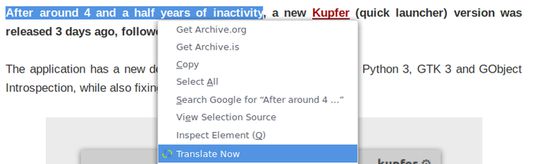
Right click a selection, page or link to translate words in Firefox using Google Translate, DeepL Translator or Bing Translator. In Firefox voor Android you first make a selection and then you use the button.
확장 메타 데이터
스크린샷
정보
Select text on any page, right click and select Translate Now. This will open a new tab with the translation using Google Translate.
By default Translate Now uses Google Translate, but DeepL Translator and Bing Translator are also supported and can be set from the Preferences.
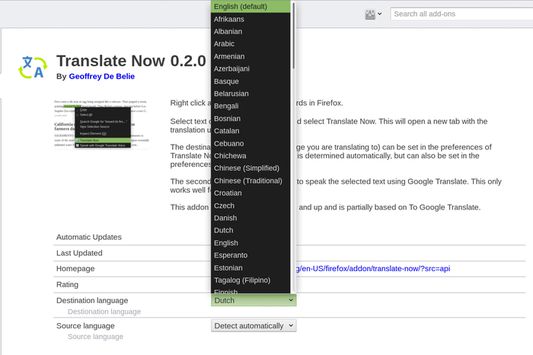
The destination language (the language you are translating to) can be set in the preferences of Translate Now. The source language is determined automatically, but can also be set in the preferences.
Features
- Supports Google Translate, Bing Translator and DeepL Translator.
- Broad support for source and destination languages.
- Make a selection, translate the current page or translate linked page.
- Use the toolbar icon to translate texts and right click the toolbar icon to gain access to the preferences.
- Highly customizable.
The first versions of Translate Now were partially based on To Google Translate.
By default Translate Now uses Google Translate, but DeepL Translator and Bing Translator are also supported and can be set from the Preferences.
The destination language (the language you are translating to) can be set in the preferences of Translate Now. The source language is determined automatically, but can also be set in the preferences.
Features
- Supports Google Translate, Bing Translator and DeepL Translator.
- Broad support for source and destination languages.
- Make a selection, translate the current page or translate linked page.
- Use the toolbar icon to translate texts and right click the toolbar icon to gain access to the preferences.
- Highly customizable.
The first versions of Translate Now were partially based on To Google Translate.
110명이 3.7점으로 평가함
권한 및 데이터
추가 정보
- 부가 기능 링크
- 버전
- 5.0.4
- 크기
- 41.4 KB
- 마지막 업데이트
- 2년 전 (2024년 8월 24일)
- 버전 목록
- 모음집에 추가