
view-current-source 제작자: Thomas Greiner
View the source code of a page at its current state.
사용자 32명사용자 32명
확장 메타 데이터
스크린샷
정보
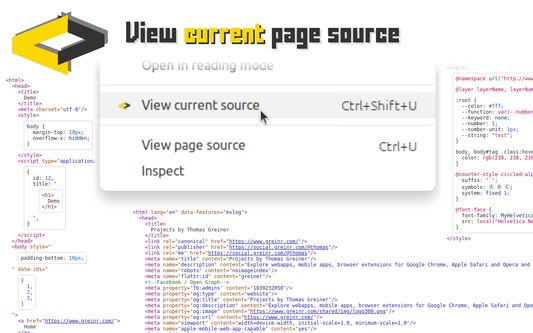
View the source code of a page as it is at the moment you look at it.
➤ View the source code of dynamically generated pages.
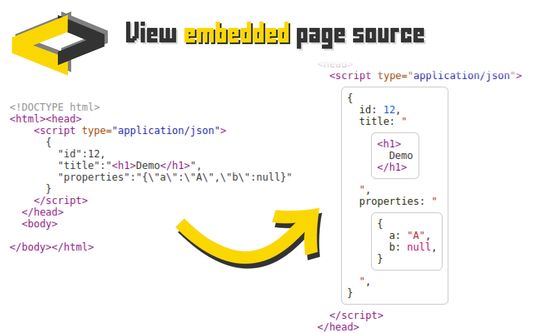
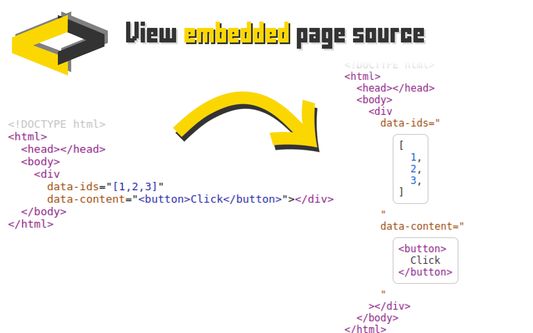
➤ View the source code that is embedded in the page.
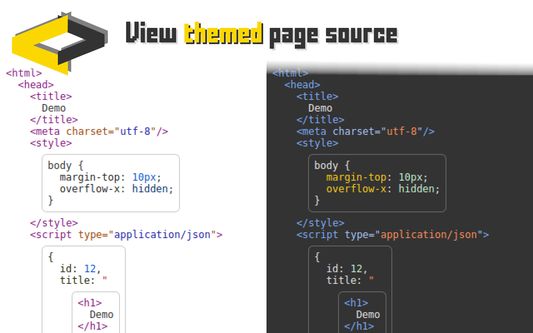
➤ View the source code the way you want.
To view the page's source code, either:
➤ Right-click and select "view current source" from the context menu.
➤ Use the keyboard shortcut (CTRL+Shift+U).
As with "View page source", you can search the source code with "CTRL+F" to find the code section that you're looking for.
Please feel free to suggest more features. Just leave a comment below or contact/follow me on Mastodon:
https://social.greinr.com/@thomas
➤ View the source code of dynamically generated pages.
➤ View the source code that is embedded in the page.
➤ View the source code the way you want.
To view the page's source code, either:
➤ Right-click and select "view current source" from the context menu.
➤ Use the keyboard shortcut (CTRL+Shift+U).
As with "View page source", you can search the source code with "CTRL+F" to find the code section that you're looking for.
Please feel free to suggest more features. Just leave a comment below or contact/follow me on Mastodon:
https://social.greinr.com/@thomas
리뷰어 0명이 0점으로 평가함
권한 및 데이터
추가 정보
- 부가 기능 링크
- 버전
- 1.7.1
- 크기
- 335.38 KB
- 마지막 업데이트
- 일 년 전 (2025년 7월 14일)
- 관련 카테고리
- 라이선스
- All Rights Reserved
- 버전 목록
- 모음집에 추가