
withExEditor 제작자: asamuzaK
From the context menu (right click), you can "View source" "View selection" or "Edit text" with your favorite editor.
사용자 124명사용자 124명
확장 메타 데이터
스크린샷
정보
"View source" "View selection" or "Edit text" with your favorite editor.
Enabled in (X)HTML, JavaScript, CSS, MathML, SVG, XML, etc.
Requirements:
To use withExEditor, you also need to prepare a host which executes your editor.
The browser interacts with the host via messages, and the editor is executed by the host.
* withExEditorHost (GitHub) https://github.com/asamuzaK/withExEditorHost
Context Menus:
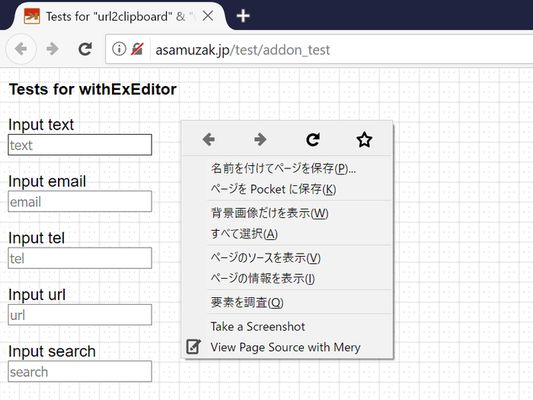
* View Page Source with exEditor
Creates a copy of the page, save as a temporary file, and opens it with an external editor.
If you are browsing a local file, then the local file will be opened directly.
* View MathML Source with exEditor
Enabled on MathML elements, and shows a generated DOM tree.
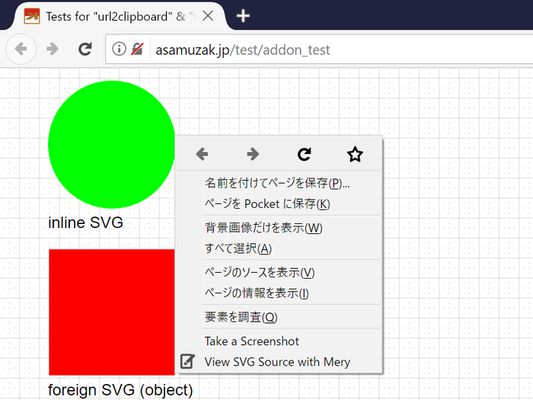
* View SVG Source with exEditor
Enabled on SVG elements, and shows a generated DOM tree.
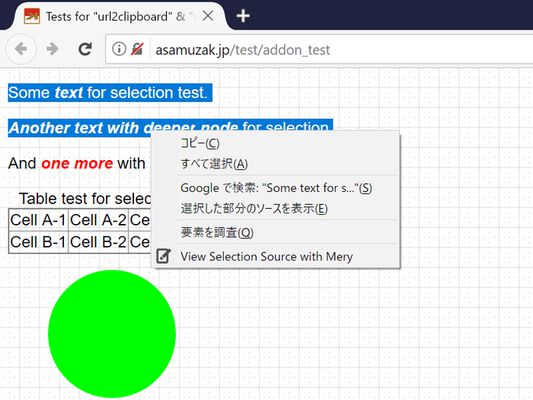
* View Selection with exEditor
Shows a generated DOM tree of selection in XML format.
If there are multiple ranges in selection, each range will be shown with a comment as a delimiter.
If the selection is not DOM parsable (like JavaScript, CSS), a file that contains only the range of text selected will be created.
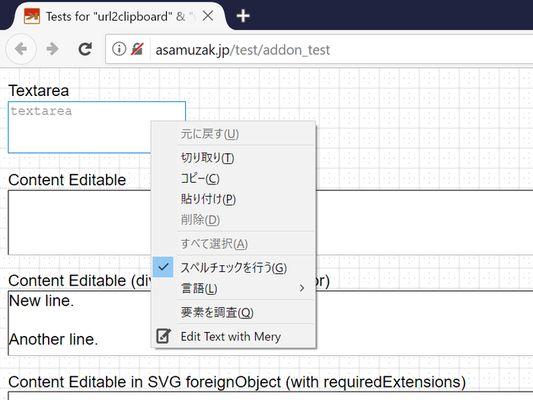
* Edit Text with exEditor
Enabled on input elements, textarea elements and content editable elements like rich text editors.
The contents edited and saved in the external editor are synchronized when you go back to the browser.
When editing the contents of a rich text editor, you can markup the contents in HTML.
However, keep in mind that the rich text editor may change your markup.
Enabled in (X)HTML, JavaScript, CSS, MathML, SVG, XML, etc.
Requirements:
To use withExEditor, you also need to prepare a host which executes your editor.
The browser interacts with the host via messages, and the editor is executed by the host.
* withExEditorHost (GitHub) https://github.com/asamuzaK/withExEditorHost
Context Menus:
* View Page Source with exEditor
Creates a copy of the page, save as a temporary file, and opens it with an external editor.
If you are browsing a local file, then the local file will be opened directly.
* View MathML Source with exEditor
Enabled on MathML elements, and shows a generated DOM tree.
* View SVG Source with exEditor
Enabled on SVG elements, and shows a generated DOM tree.
* View Selection with exEditor
Shows a generated DOM tree of selection in XML format.
If there are multiple ranges in selection, each range will be shown with a comment as a delimiter.
If the selection is not DOM parsable (like JavaScript, CSS), a file that contains only the range of text selected will be created.
* Edit Text with exEditor
Enabled on input elements, textarea elements and content editable elements like rich text editors.
The contents edited and saved in the external editor are synchronized when you go back to the browser.
When editing the contents of a rich text editor, you can markup the contents in HTML.
However, keep in mind that the rich text editor may change your markup.
리뷰어 19명이 4.2점으로 평가함
권한 및 데이터
필수 권한:
- Firefox 이외의 프로그램과 메시지 교환
- 브라우저 탭에 접근
- 모든 웹사이트에서 사용자의 데이터에 접근
선택적 권한:
- 알림 표시
데이터 수집:
- 개발자는 이 확장 기능이 데이터 수집을 요구하지 않는다고 밝히고 있습니다.
추가 정보
- 부가 기능 링크
- 버전
- 12.2.0
- 크기
- 127.96 KB
- 최근 업데이트
- 8일 전 (2026년 8월 14일)
- 관련 카테고리
- 개인정보처리방침
- 이 부가 기능에 대한 개인정보처리방침 읽기
- 버전 목록
- 모음집에 추가