
XaCi-leads 제작자: Frieda
A tool to easy save urls in different categories
사용자 없음사용자 없음
확장 메타 데이터
스크린샷

정보
Xaci-leads
web-extension
"A tool to easy save urls in different categories"
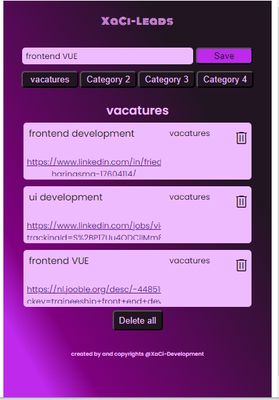
What is it? It's a tool to easy save url's. It is like a favorites light.
You can define your own categories and you can make 4 different categories for each search.
Lets say you are a recruiter and you go to linkedin to search for profiles.
You have 4 vacancies you need to fill. You can add the vacancies as category and then search the web for candidates. If you found a candidate, you can save the url of the profile with some keywords or notes in the category of your choice.
If you saved profiles that doesn't match the vacancy, you can easy delete them, without deleting the rest of your search.
If you are done searching and you found the perfect candidate, you can delete the all urls of that category, rename the category if you want and start a new search.
How it works?
It is easy, install the extension in your browser and pin it to your toolbar.
Edit category:
Double click on the category buttons and a inputfield shows up, here you can type your new category and save by enter or the save button.
If you have changed all categories or the categories needed, you can start searching and save url's.
Note that if you change the category name, all urls that are collected under the old name will be deleted.
If you accidently doubleclick on the categorie, just click somewhere outside the inputfield and you return back to the startscreen and your categorie and urls will be saved.
So now its time, to get started
How to save a url?
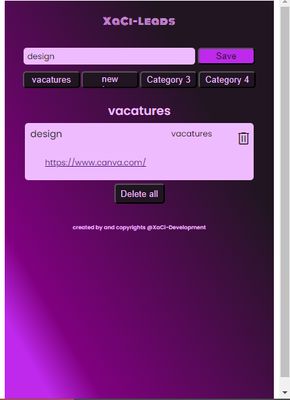
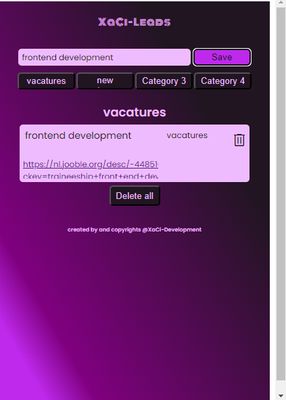
When you find a url to save, you open XaCi-leads, add some keyword or note in the description. Select the category and click save or press enter
How to delete a url?
To delete only one url you can double click on the trashcan.
For deleting all urls, you can doubleclick on the delete all button.
web-extension
"A tool to easy save urls in different categories"
What is it? It's a tool to easy save url's. It is like a favorites light.
You can define your own categories and you can make 4 different categories for each search.
Lets say you are a recruiter and you go to linkedin to search for profiles.
You have 4 vacancies you need to fill. You can add the vacancies as category and then search the web for candidates. If you found a candidate, you can save the url of the profile with some keywords or notes in the category of your choice.
If you saved profiles that doesn't match the vacancy, you can easy delete them, without deleting the rest of your search.
If you are done searching and you found the perfect candidate, you can delete the all urls of that category, rename the category if you want and start a new search.
How it works?
It is easy, install the extension in your browser and pin it to your toolbar.
Edit category:
Double click on the category buttons and a inputfield shows up, here you can type your new category and save by enter or the save button.
If you have changed all categories or the categories needed, you can start searching and save url's.
Note that if you change the category name, all urls that are collected under the old name will be deleted.
If you accidently doubleclick on the categorie, just click somewhere outside the inputfield and you return back to the startscreen and your categorie and urls will be saved.
So now its time, to get started
How to save a url?
When you find a url to save, you open XaCi-leads, add some keyword or note in the description. Select the category and click save or press enter
How to delete a url?
To delete only one url you can double click on the trashcan.
For deleting all urls, you can doubleclick on the delete all button.
0명이 0점으로 평가함
권한 및 데이터
추가 정보
- 부가 기능 링크
- 버전
- 0.0.0.1
- 크기
- 21.46 KB
- 마지막 업데이트
- 3년 전 (2023년 8월 28일)
- 라이선스
- MIT 라이선스
- 버전 목록
- 모음집에 추가