Y2Matecom 제작자: Developer
Convert and download your favorite YouTube videos to MP3, MP4 with a single click!
사용자 25명사용자 25명
확장 메타 데이터
스크린샷
정보
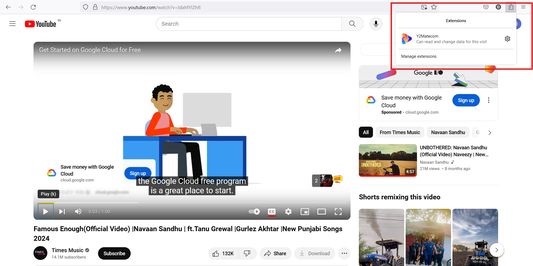
After the installation of Y2matecom Add-On you will find a new icon in your browser toolbar. To use the Add-On follow our step by step guide:
1. Open youtube.com and play the video you would like to download.
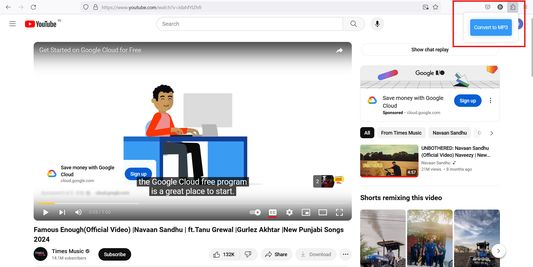
2. Click on our icon and choose Convert to MP3.
3. You will be redirected to our website, and the conversion will start.
4. As soon as the conversion is finished you will be able to download the converted file.
That’s all!
1. Open youtube.com and play the video you would like to download.
2. Click on our icon and choose Convert to MP3.
3. You will be redirected to our website, and the conversion will start.
4. As soon as the conversion is finished you will be able to download the converted file.
That’s all!
0명이 0점으로 평가함
추가 정보
- 부가 기능 링크
- 버전
- 1.0
- 크기
- 28.68 KB
- 마지막 업데이트
- 2년 전 (2024년 5월 18일)
- 관련 카테고리
- 버전 목록
- 모음집에 추가