Yet Another Pinboard Extension 제작자: seeba
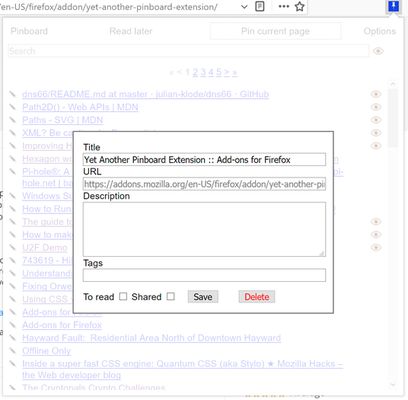
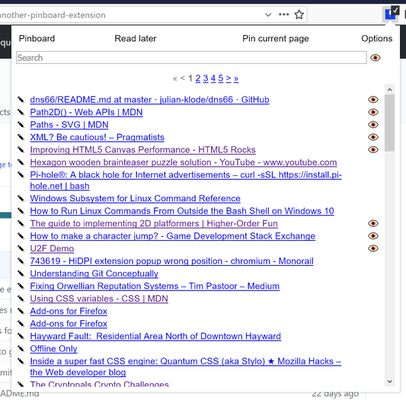
Adds an menu button and optional sidebar to view your pinboard bookmarks. Search, create and edit your pins from inside the browser. You can also use "pin " and a search term in the address bar. Set your API key in the addon options to get started.
확장 메타 데이터
스크린샷
정보
Shows your Pinboard bookmarks in the omnibar suggestions if "pin" is prepended.
Also, allows you to view, open and edit your bookmarks in your browser.
Furthermore, enables (optionally) auto-copying new browser bookmarks to pinboard.
Instructions
Also, allows you to view, open and edit your bookmarks in your browser.
Furthermore, enables (optionally) auto-copying new browser bookmarks to pinboard.
Instructions
- To connect the add-on with your pinboard account, enter your API key in the options page (about:addons or chrome://extensions). Do *not* enter your normal password! The key will be stored in the add-on's local browser storage, and I have no idea if other add-ons / users / whoever can access that. Also, it probably wouldn't even work.
- The API key can be found on https://pinboard.in/settings/password.
- You can search through your bookmarks, create new ones and edit old ones via the button in the Action Menu (add it to the bar if it is not there)
- Press Alt-P (by default) to open the pinboard bookmarks list in the browser menu bar.
9명이 4.9점으로 평가함
권한 및 데이터
추가 정보
- 부가 기능 링크
- 버전
- 1.5.1
- 크기
- 61.6 KB
- 마지막 업데이트
- 3년 전 (2022년 11월 21일)
- 버전 목록
- 모음집에 추가