YouTube Geoblock Checker 제작자: Nicu Calcea
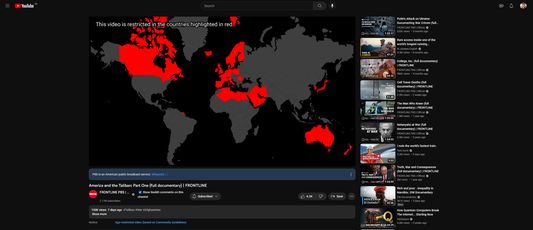
Shows where a YouTube video is restricted so you can use a VPN to avoid the restriction.
사용자 17명사용자 17명
확장 메타 데이터
스크린샷
정보
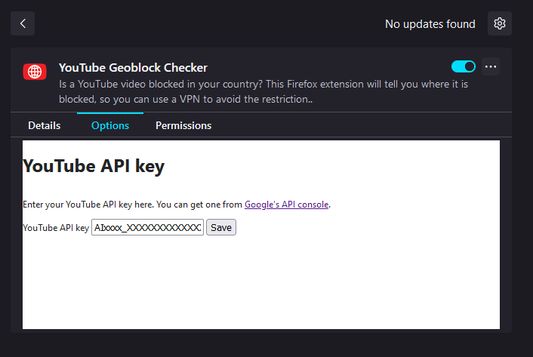
Once installed, open the Extensions setting (`about:addons`) in your browser and find the add-on. Click on the three dots (`⋮`) and the select `Options`.
At this stage, you'll need a YouTube Data API key. Go to Google's developer portal for instructions on how to get one.
Once you've got a key, paste it into the add-on settings and click save.
At this stage, you'll need a YouTube Data API key. Go to Google's developer portal for instructions on how to get one.
Once you've got a key, paste it into the add-on settings and click save.
1명이 5점으로 평가함
권한 및 데이터
추가 정보
- 부가 기능 링크
- 버전
- 1.2
- 크기
- 2.56 MB
- 마지막 업데이트
- 7달 전 (2025년 11월 5일)
- 관련 카테고리
- 버전 목록
- 모음집에 추가