
Mangakawaii Chapter Downloader от mouahrara
Download many chapters from Mangakawaii in one click!
Метаданные расширения
Скриншоты




Об этом расширении
This add-on allows you to easily and quickly download all chapters of a work or a selection of chapters from the Mangakawaii website.
USAGE
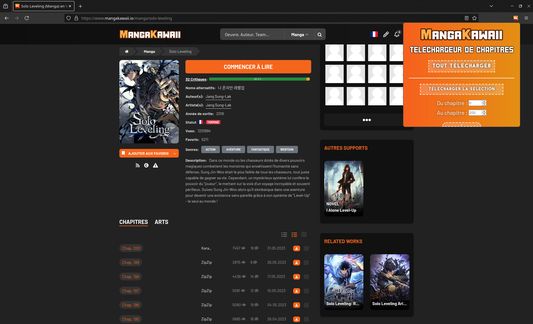
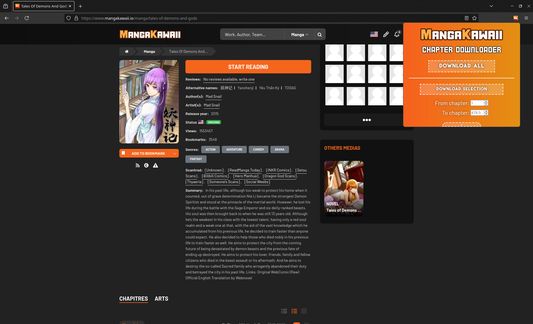
When you're viewing a work's page, the extension icon in the top-right corner of the browser will become colored, indicating that chapter downloads are available.
Clicking the icon opens a window with two download options:
Additional features include:
KEYBOARD NAVIGATION
General:
- ↑: Switch to compact mode.
- ↓: Switch to extended mode.
- ←: Go to first section.
- →: Go to second section.
Section 1:
- Enter (⏎): Add chapter selection to download queue.
- Tab (↹): Toggle between first and last chapter selection fields.
In selection fields:
- ↑: Select next chapter.
- ↓: Select previous chapter.
- ←: Move cursor to previous character
- →: Move cursor to next character
- ⇧ + ↹: Remove focus from selection fields.
Use ⇧ + ←↑→↓ to access general shortcuts while a field is focused.
Section 2:
- ⏎: Pause / resume downloads.
- 🖰: Select / deselect a chapter.
- ⇧ + 🖰: Multi-selection (same behavior as in file explorers).
- ⎈ + A: Select all chapters.
- ⎈ + ⇧ + A: Deselect all chapters.
- ⌦: Remove selected chapters.
ADDITIONAL INFORMATION
This extension does not store or use any personal data.
USAGE
When you're viewing a work's page, the extension icon in the top-right corner of the browser will become colored, indicating that chapter downloads are available.
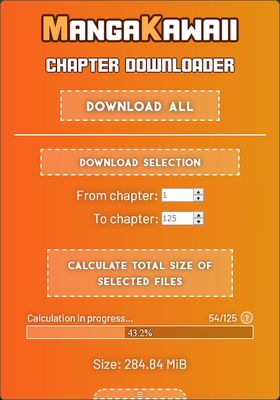
Clicking the icon opens a window with two download options:
- The "Download All" option lets you download all available chapters.
- The "Download Selection" option lets you download only the chapters entered in the selection fields below the button.
Additional features include:
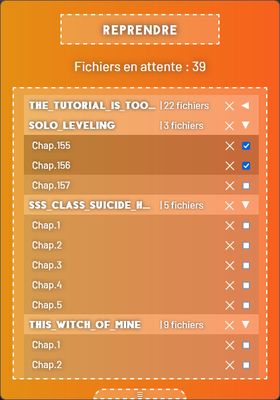
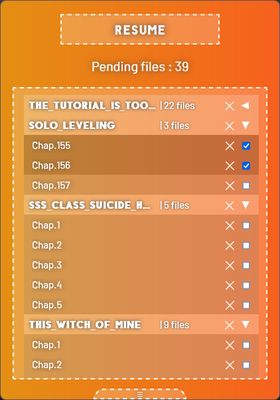
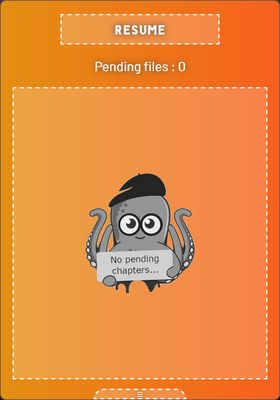
- Download management, accessible by pressing the right arrow key (→), allowing you to view and manage pending downloads.
- Calculation of the total size of selected files, available in extended mode by pressing the down arrow key (↓).
KEYBOARD NAVIGATION
General:
- ↑: Switch to compact mode.
- ↓: Switch to extended mode.
- ←: Go to first section.
- →: Go to second section.
Section 1:
- Enter (⏎): Add chapter selection to download queue.
- Tab (↹): Toggle between first and last chapter selection fields.
In selection fields:
- ↑: Select next chapter.
- ↓: Select previous chapter.
- ←: Move cursor to previous character
- →: Move cursor to next character
- ⇧ + ↹: Remove focus from selection fields.
Use ⇧ + ←↑→↓ to access general shortcuts while a field is focused.
Section 2:
- ⏎: Pause / resume downloads.
- 🖰: Select / deselect a chapter.
- ⇧ + 🖰: Multi-selection (same behavior as in file explorers).
- ⎈ + A: Select all chapters.
- ⎈ + ⇧ + A: Deselect all chapters.
- ⌦: Remove selected chapters.
ADDITIONAL INFORMATION
This extension does not store or use any personal data.
Оценено 0 рецензентами на 0
Разрешения и данные
Требуемые разрешения:
- Скачивать файлы, а также читать и изменять историю скачиваний браузера
- Получать доступ ко вкладкам браузера
- Получать доступ к вашим данных на сайтах в mangakawaii.io домене
Больше сведений
- Ссылки дополнения
- Версия
- 2.0.0
- Размер
- 220,49 КБ
- Последнее обновление
- год назад (23 июня 2025 г.)
- Связанные категории
- История версий
- Добавить в подборку