
screenshot any element av vacantthinker
webpage screenshot support: screenshot full page pick one element to screenshot
30 användare30 användare
Metadata för tillägg
Skärmbilder

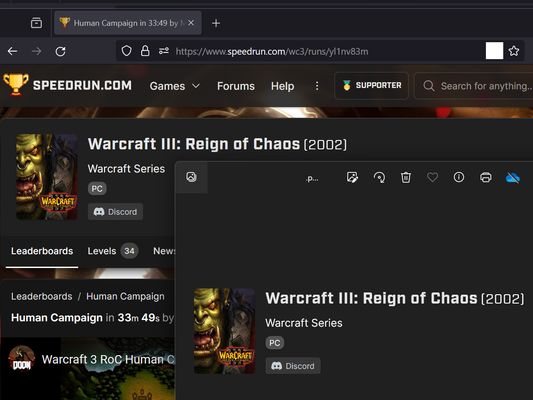


Om detta tillägg
Extension User Guide
📸 1. How to Capture a Full Page
🎯 2. How to Capture a Specific Element
⚠️ 3. Known Limitations
Browser extensions are restricted by standard security architectures and cannot run on native browser pages or official extension stores.
Examples of restricted pages include:
* Official Stores: Mozilla Add-ons Store (
📸 1. How to Capture a Full Page
- Right-click anywhere on the web page to open the context menu.
- Select "Screenshot Full Page" from the list.
🎯 2. How to Capture a Specific Element
- Click the extension icon in your browser toolbar.
- Move your mouse over the specific web element you want to capture. A red selection box will highlight the targeted area.
- Left-click the element. The extension will automatically capture the highlighted area and download it as a
.pngfile.
⏳ Note: Capturing larger web elements or extensive sections may take a few moments to process and download.
⚠️ 3. Known Limitations
Browser extensions are restricted by standard security architectures and cannot run on native browser pages or official extension stores.
Examples of restricted pages include:
* Official Stores: Mozilla Add-ons Store (
addons.mozilla.org).Betyg 5 av 2 recensenter
Behörigheter och data
Nödvändiga behörigheter:
- Visa meddelanden till dig
- Åtkomst till webbläsarens flikar
- Åtkomst till dina data för alla webbplatser
Datainsamling:
- Utvecklaren säger att detta tillägg inte kräver datainsamling.
Mer information
- Länkar för tillägg
- Version
- 2026.5.30.1
- Storlek
- 12,11 kB
- Senast uppdaterad
- för 3 månader sedan (30 maj 2026)
- Relaterade kategorier
- Versionshistorik
- Taggar
- Lägg till i samling