
tbx: Team Browser Extension автор tbx
Browse the web together, in real-time. Research online like a pro.
2 Users2 Users
Метадані розширення
Знімки екрана

Про це розширення
tbx is a browser extension that lets you start shared browsing sessions and do online research seamlessly while surfing the web.
🌎 Collaborate on any page!
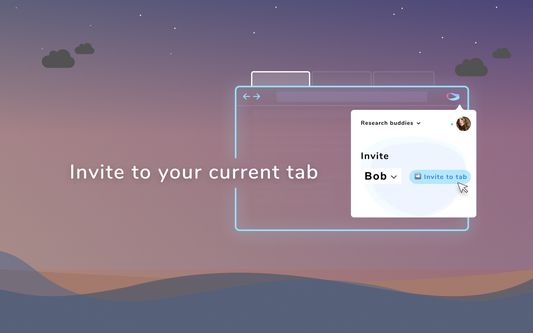
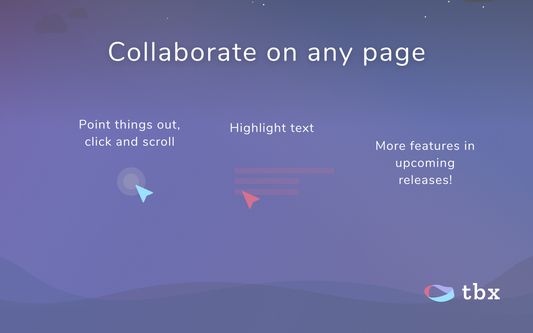
Invite a contact to start browsing together. Point, click, scroll and highlight away. Share your browser tab with friends, colleagues, or family.
🎯 Research with Dropzone
While you browse, drag and drop stuff from around the web into the dropzone. Text, images, links. In a multi-user browsing session it's synced in real-time with everyone. Export your research as a PDF, via email, or copy as Markdown to your note-taking app.
💻Not screen sharing
Collaborate without staring at someone else's screen in a window. On the same page as others, but in the comfort of your own browser!
🔒 Privacy first
No browsing activity is stored or tracked with tbx. You choose who to browse with, and on which page. Because tbx doesn't share your screen, it also means any sensitive data is for your eyes only. If you use the dropzone for your online research, tbx doesn't store any of your dropzone
💡 tbx an experiment in Internet connectivity and collaboration, to make the web more human and connected. It's a project by an indie developer (Slav).
You can leave feedback and support the project by joining the groups:
- Discord: https://discord.gg/GZX3uuU
- Telegram: https://t.me/joinchat/Bu_6qhL1RRAqpM5SoOk1cA
Beta updates
---------------------
New in 0.3.3:
- Notes in the dropzone now show the source as a link, so you can come back to the page where you got the note from. It's also shown in the email, Markdown and PDF.
- Fixed an issue where some images weren't being added to PDFs
New in 0.3.1:
- Added the ability to delete items from the dropzone
- Added a button to add the current tab URL to 'Links' section in the dropzone
New in 0.3.0:
- Dropzone: you can now drag & drop text, links, and images into the dropzone - a little container that stays with you while you research online. If you invite people into the session, the dropzone is synced in real-time. Once you're done browsing, you can email the contents, copy to Markdown, or save as a PDF. Neat!
- Single-user mode: you can start a session without inviting people. Great for going into solo research mode.
- The overlay can now be hidden from view if you need. In the session, go to three-dot menu -> Auto-hide overlay.
- Many fixes and improvements.
New in 0.2.0:
- More intuitive things: A new popup window redesign. Teams is replaced by 'Contacts', so now inviting people is even easier than before.
- You can now scroll to where users are by clicking on their avatar in the session.
- Easier to identify which tab is in a session: the favicon of the current website is now badged with a bright green circle.
New in 0.1.2:
- Follow mode! When the leader changes URL - everyone follows, if they have follow mode turned on.
Thanks for using tbx!
🌎 Collaborate on any page!
Invite a contact to start browsing together. Point, click, scroll and highlight away. Share your browser tab with friends, colleagues, or family.
🎯 Research with Dropzone
While you browse, drag and drop stuff from around the web into the dropzone. Text, images, links. In a multi-user browsing session it's synced in real-time with everyone. Export your research as a PDF, via email, or copy as Markdown to your note-taking app.
💻Not screen sharing
Collaborate without staring at someone else's screen in a window. On the same page as others, but in the comfort of your own browser!
🔒 Privacy first
No browsing activity is stored or tracked with tbx. You choose who to browse with, and on which page. Because tbx doesn't share your screen, it also means any sensitive data is for your eyes only. If you use the dropzone for your online research, tbx doesn't store any of your dropzone
💡 tbx an experiment in Internet connectivity and collaboration, to make the web more human and connected. It's a project by an indie developer (Slav).
You can leave feedback and support the project by joining the groups:
- Discord: https://discord.gg/GZX3uuU
- Telegram: https://t.me/joinchat/Bu_6qhL1RRAqpM5SoOk1cA
Beta updates
---------------------
New in 0.3.3:
- Notes in the dropzone now show the source as a link, so you can come back to the page where you got the note from. It's also shown in the email, Markdown and PDF.
- Fixed an issue where some images weren't being added to PDFs
New in 0.3.1:
- Added the ability to delete items from the dropzone
- Added a button to add the current tab URL to 'Links' section in the dropzone
New in 0.3.0:
- Dropzone: you can now drag & drop text, links, and images into the dropzone - a little container that stays with you while you research online. If you invite people into the session, the dropzone is synced in real-time. Once you're done browsing, you can email the contents, copy to Markdown, or save as a PDF. Neat!
- Single-user mode: you can start a session without inviting people. Great for going into solo research mode.
- The overlay can now be hidden from view if you need. In the session, go to three-dot menu -> Auto-hide overlay.
- Many fixes and improvements.
New in 0.2.0:
- More intuitive things: A new popup window redesign. Teams is replaced by 'Contacts', so now inviting people is even easier than before.
- You can now scroll to where users are by clicking on their avatar in the session.
- Easier to identify which tab is in a session: the favicon of the current website is now badged with a bright green circle.
New in 0.1.2:
- Follow mode! When the leader changes URL - everyone follows, if they have follow mode turned on.
Thanks for using tbx!
Rated 1 by 1 reviewer
Permissions and data
Необхідні дозволи:
- Показувати сповіщення
- Отримувати доступ до вкладок браузера
- Отримувати доступ до ваших даних для всіх вебсайтів
Більше інформації
- Посилання додатка
- Версія
- 0.3.5
- Розмір
- 2,55 МБ
- Востаннє оновлено
- 5 років тому (24 лист 2020 р.)
- Пов'язані категорії
- Ліцензія
- Усі права захищені
- Історія версій
- Додати до збірки